
Why This Playbook Matters
An agency grows by adding clients.
It stops growing when each new client adds more hours than the team has: hours of building pages, launching ads, answering leads and writing reports.
This playbook sets up each client the same way. So the work for a new client is a copy of the work for the last one.
Cook does the work in each client’s workspace. If a thing spends a client’s money or goes to a client’s customers, it waits for YOU to approve it. See How to approve work.
What you will set up
- One workspace for each client, with a login the client can use.
- A page and a form that collect enquiries for each client.
- Facebook and Instagram ads for each client, approved by you.
- A reply to every client's new enquiry within minutes, and calls booked on their calendar.
- A report for each client, without anyone on your team writing it.
Step 1: Give Each Client a Workspace of Their Own
Why This Matters
Put every client’s pages, leads, ads and messages in one place, and two things happen:
- Your team mixes them up.
- Your clients cannot see their own results.
A separate workspace for each client keeps their work apart. Your team still works in all of them.
What to Do First
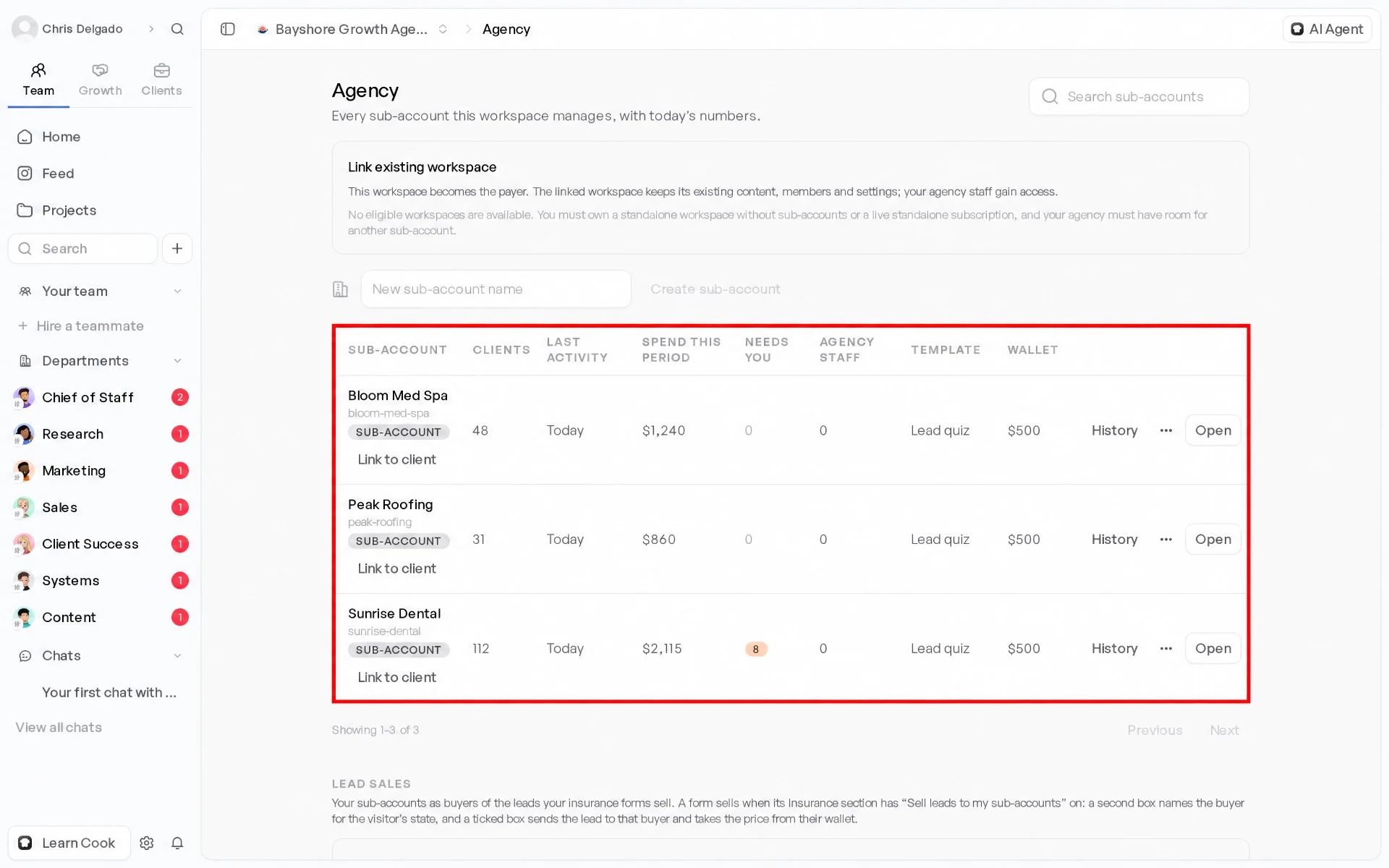
- Make one sub-account for each client. Cook adds your owners and admins to every sub-account by itself. Sub-accounts are part of the Agency plan. See Sub-accounts.
- Do you set up the same things for most clients? Make a template ONCE. Start each new sub-account from it.
- Give each client a login to their portal. Then they can see their own work. See Your client portal.
- To show your own brand instead of Cook’s, see White-label and Your portal on your own domain.
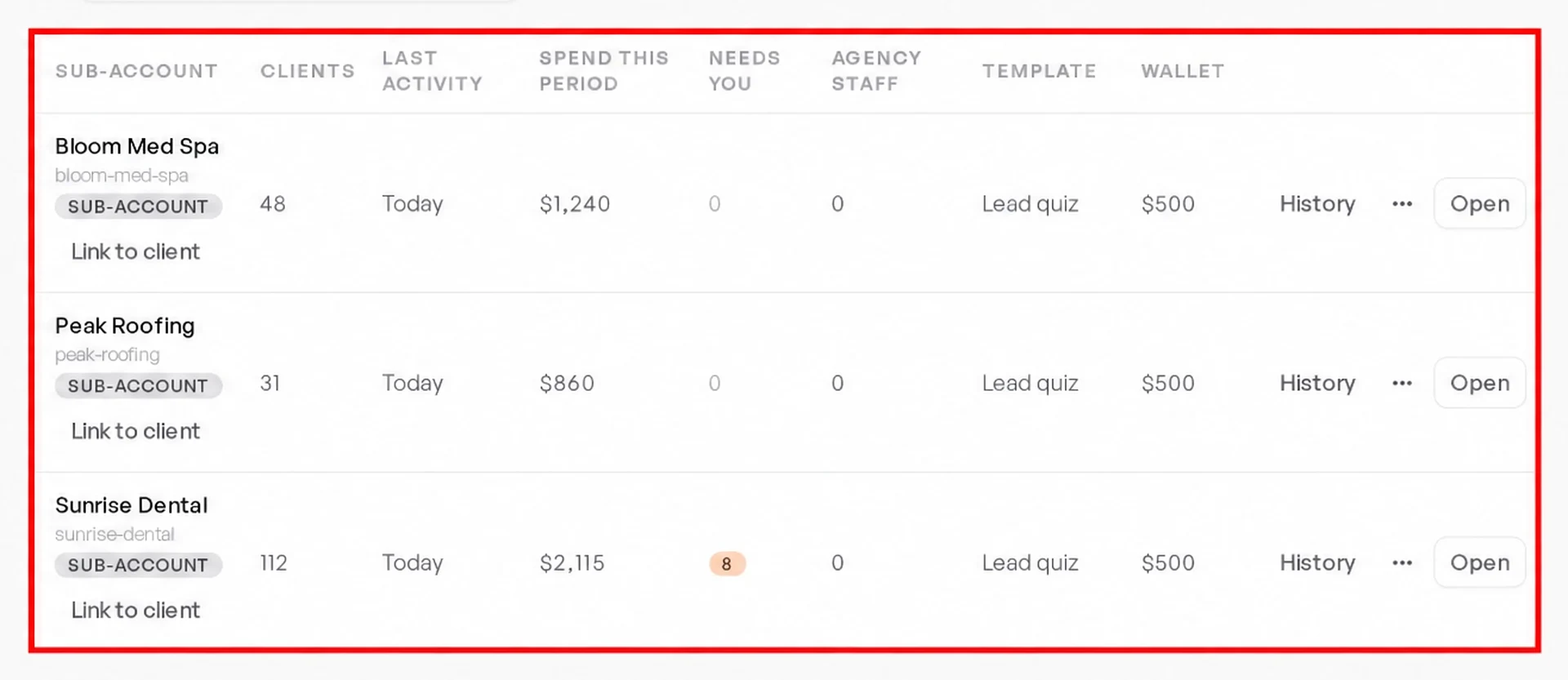
What Your Agency Sees
| Client | Leads this week | Booked calls | Status |
|---|---|---|---|
| Sunrise Dental | 21 | 8 | On track |
| Peak Roofing | 14 | 5 | On track |
| Bloom Med Spa | 9 | 2 | Needs you |
Step 2: Build Each Client a Page That Collects Enquiries
Why This Matters
Every client needs one place to send the people their ads reach.
A page with a short quiz asks the client’s first-call questions. So their team knows who to call first.
What to Do First
- Open the client’s workspace and ask Cook for the page. Use plain words, the way the client talks about their business.
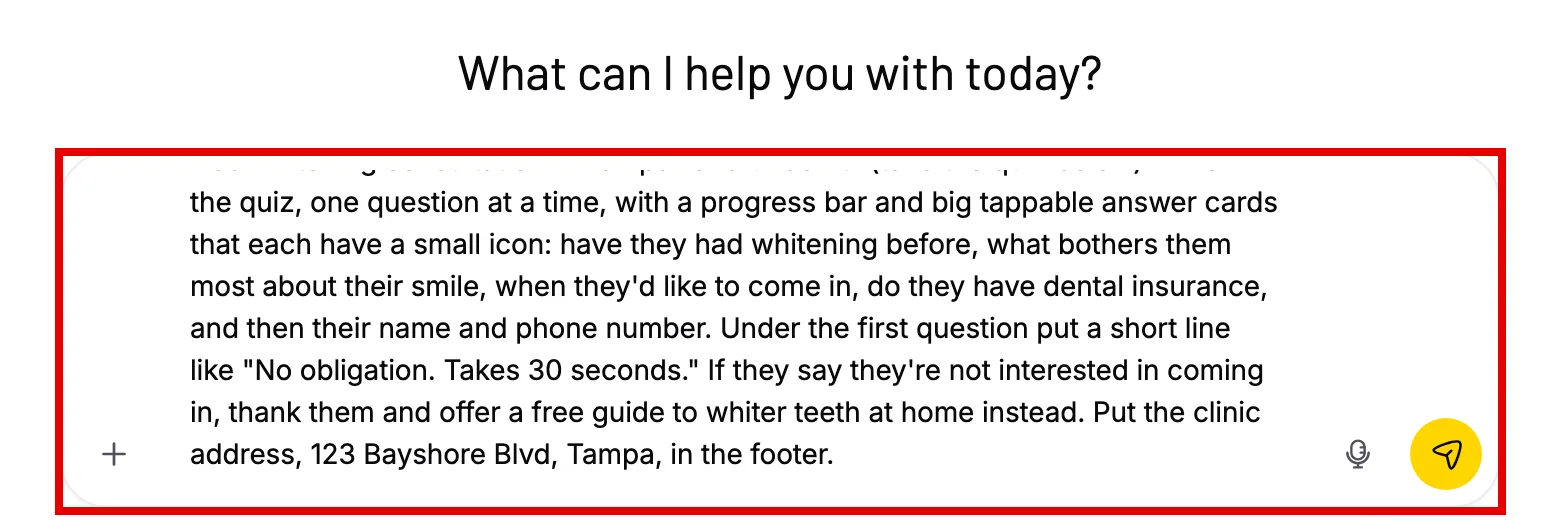
- Ask for a quiz with one question on each screen. Tell Cook what to do with a person who is not a fit.
- Read the page, then approve it. Cook puts it on the internet at a real web address.
Build a page for Sunrise Dental’s free whitening consultation in Tampa. Ask a few quick questions, one at a time: have they had whitening before, when they want to come in, and their phone number.
More about pages and forms: Building a lead generating asset.
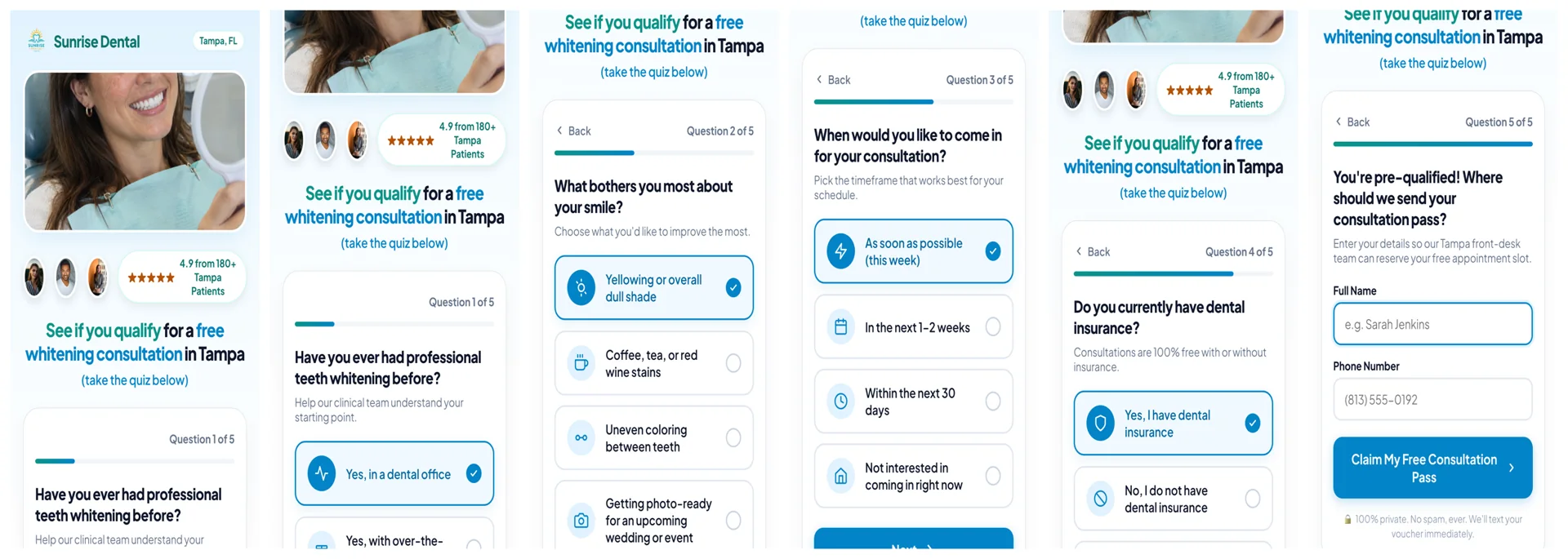
A Real Page Cook Built
Cook built this page from ONE request in plain words. The business is made up: Sunrise Dental. Cook also made the photo and the logo.

Step 3: Run Each Client’s Ads, With Your Approval
Why This Matters
Ads spend the client’s money. So a person must check each change.
Cook does the work: it writes, launches and watches the ads. You keep the decisions.
What to Do First
- Connect the client’s Meta ad account in their workspace. See Cook + Meta Ads.
- Ask Cook to write the ads and set up the campaign. Cook makes the campaign paused. Then it shows you an approval card with the budget and the ads.
- Does the client sell housing, credit, loans or other financial products? Check that the approval card shows the special ad category Meta requires for them.
- Cook reads the results. It tells you which ads to stop and where to move the budget. You approve each change.
Write three Facebook ads for Sunrise Dental’s whitening page. Set up a campaign at $40 a day.
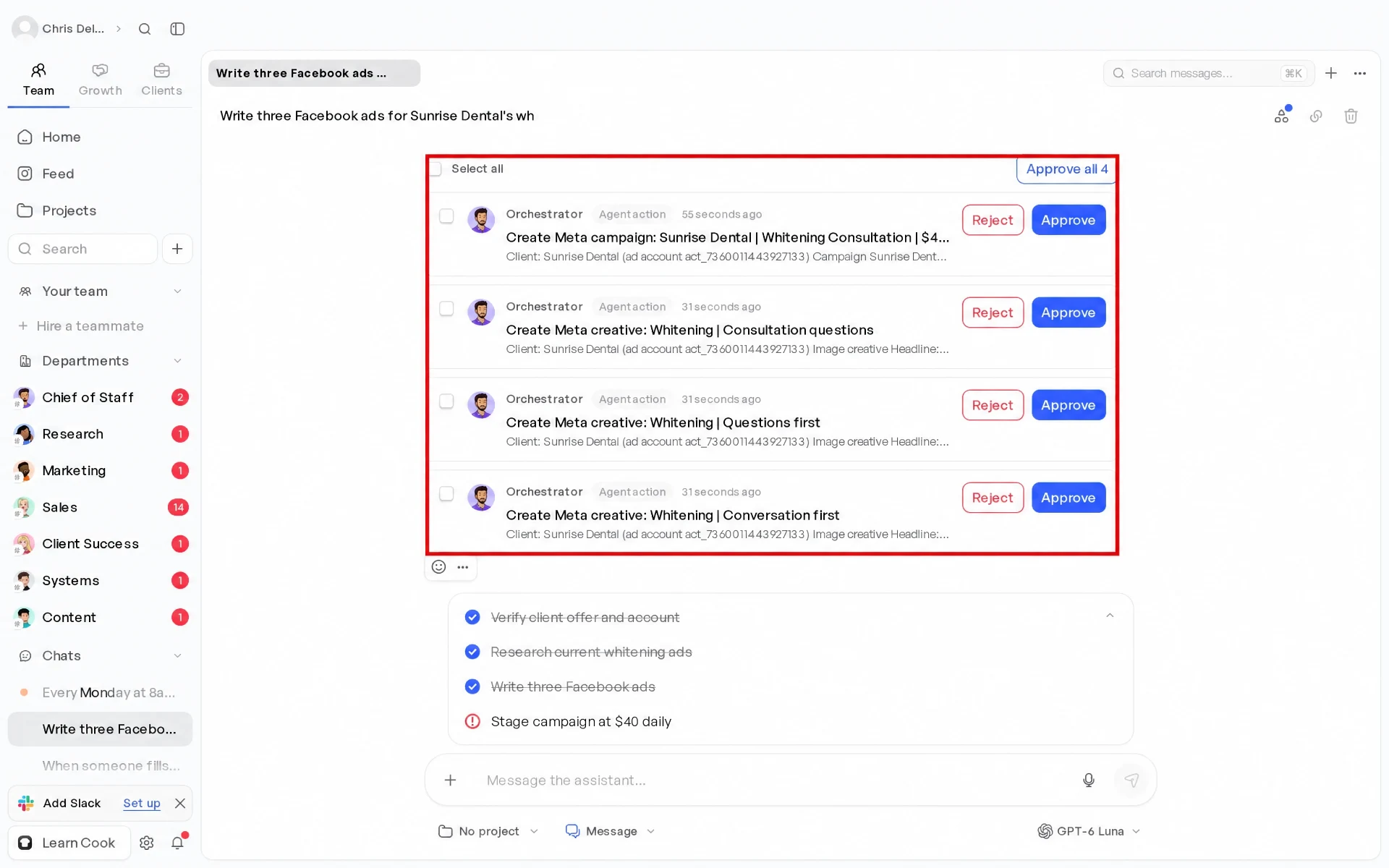
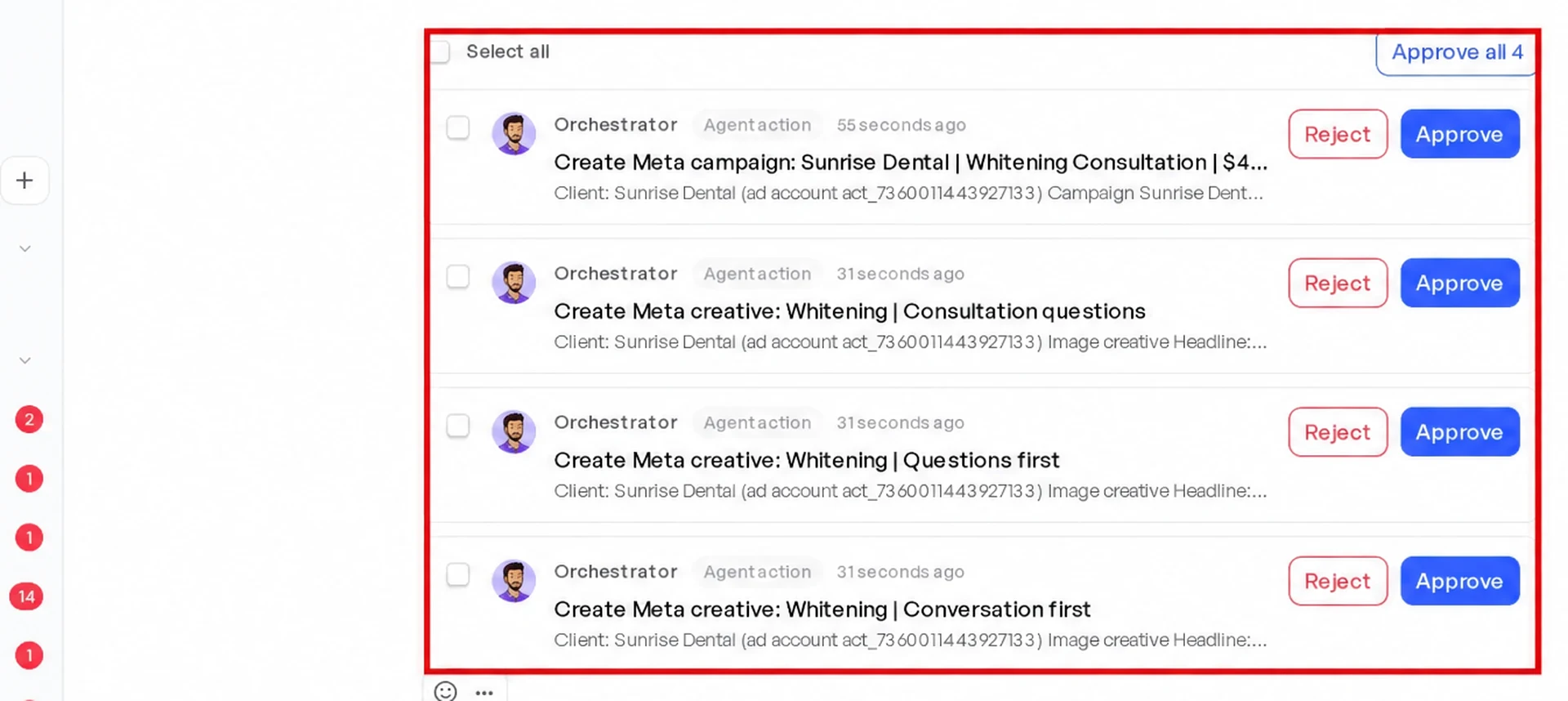
The Ads Cook Made From the Page

Cook makes each campaign paused. Approving the card creates it, still paused. It starts only when you approve switching it on.
Step 4: Answer Every Client’s Enquiries Within Minutes
Why This Matters
Your client pays for the ads. But they judge you by the appointments.
A person who gets a reply while they still hold their phone answers it.
Most clients cannot reply that fast themselves.
What to Do First
- Give the client a texting number, or use the number they already have in GoHighLevel. See What phone numbers and texting cost and Cook + GoHighLevel.
- Set up the client’s booking page with their hours. Cook sends reminders before each appointment.
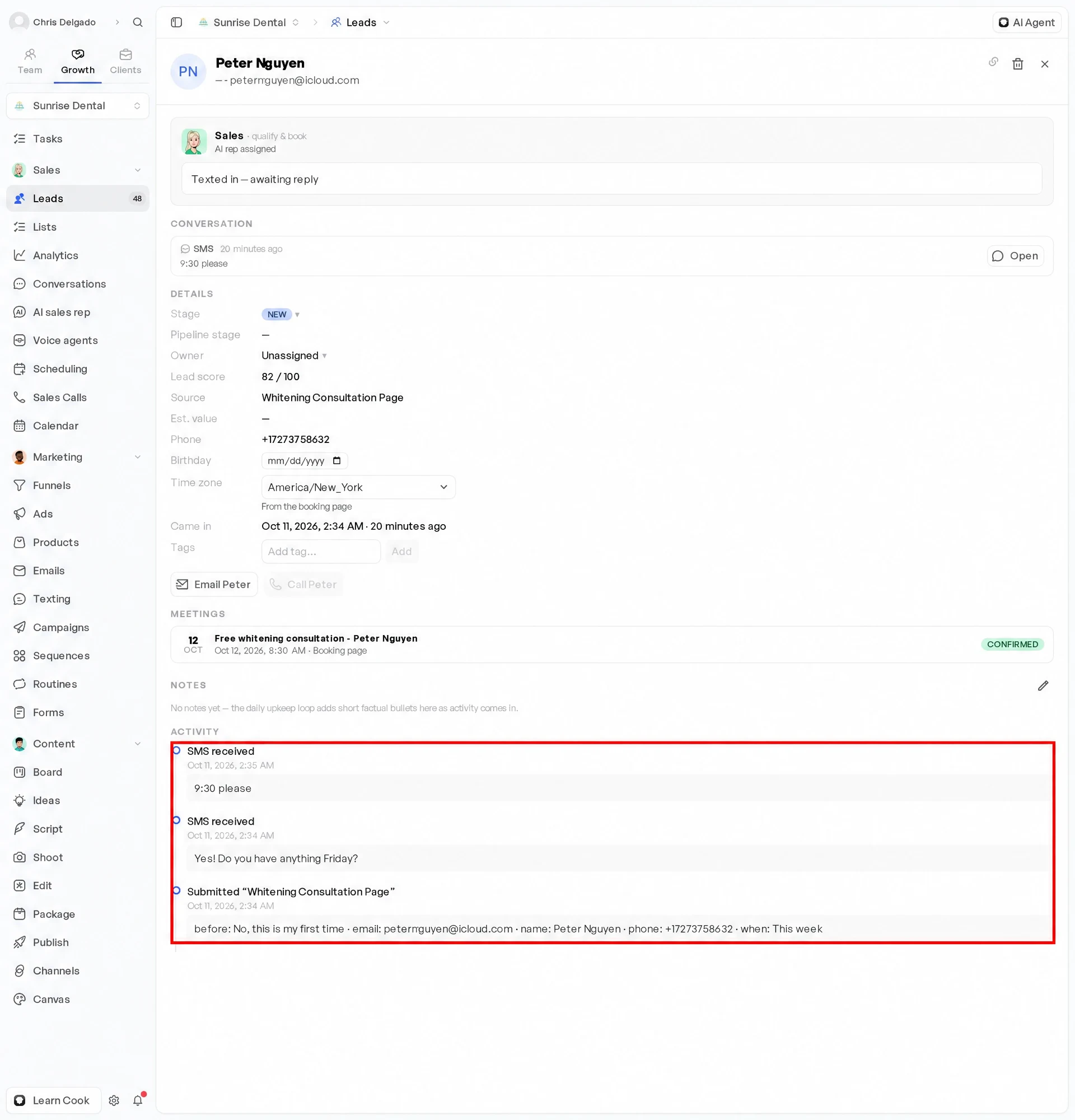
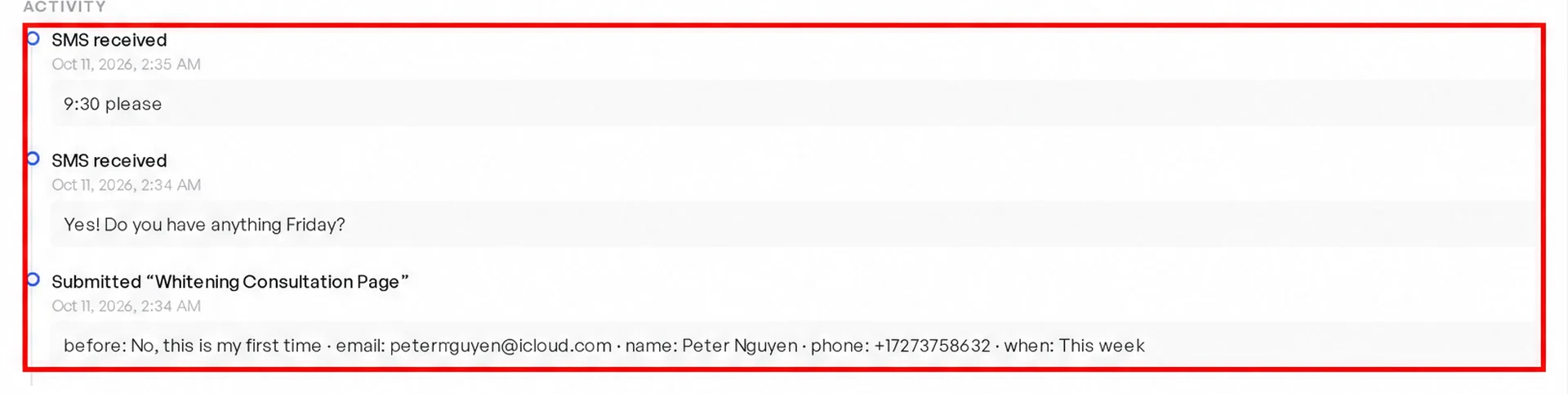
- Switch on the AI sales rep for the client’s new enquiries. It texts and emails each new person in the client’s words. It asks their questions, books the appointment, and follows up with people who go quiet. See the Sales department.
- Test the follow-up routine before you switch it on. Ask for it as below, then press Test: Cook runs the full follow-up with a made-up person. Then you can read EVERY message first.
When someone fills in Sunrise Dental’s whitening page, text them within two minutes. Ask when they’d like to come in, and book them into a free consultation. If they don’t reply, email them the next day.
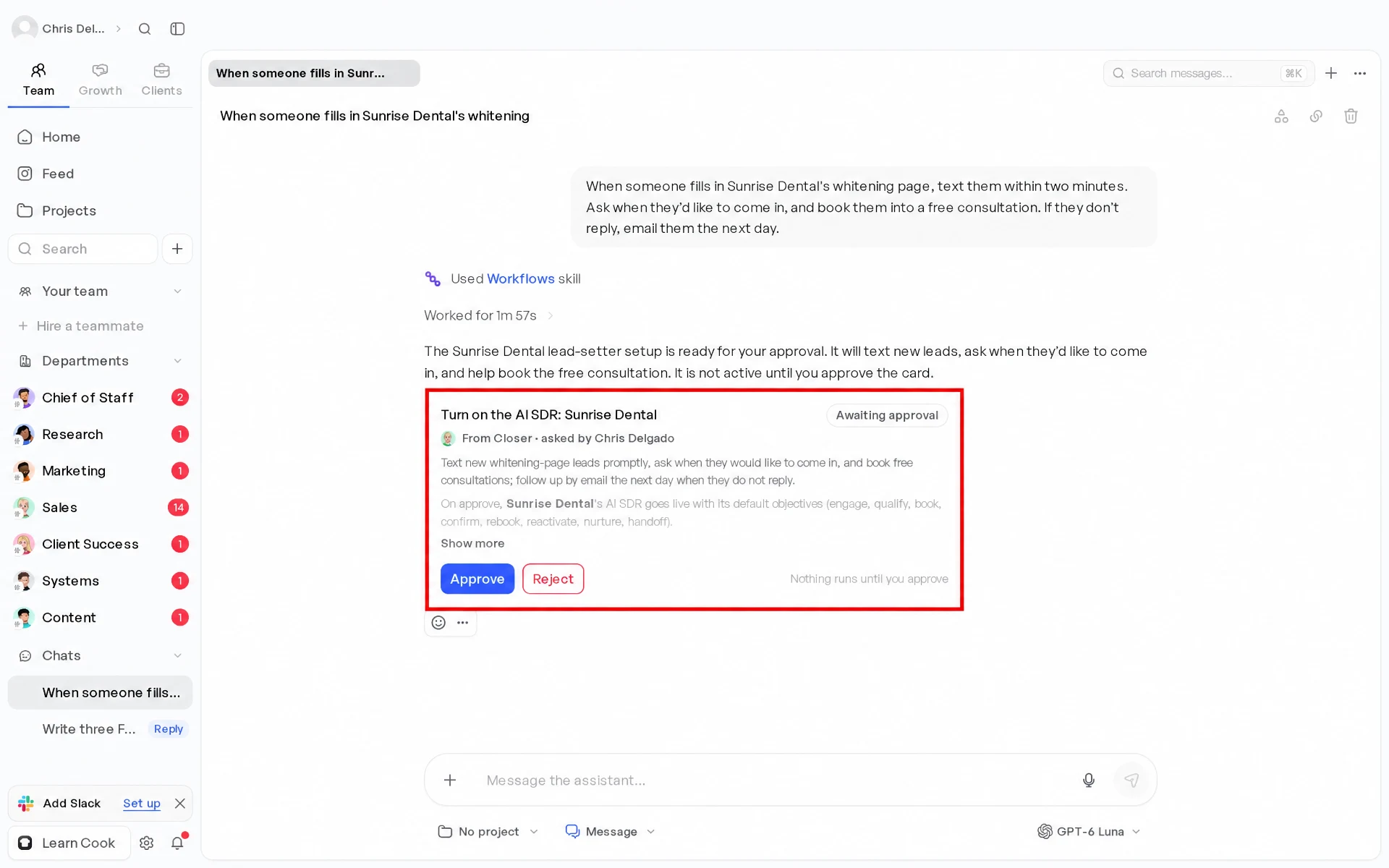
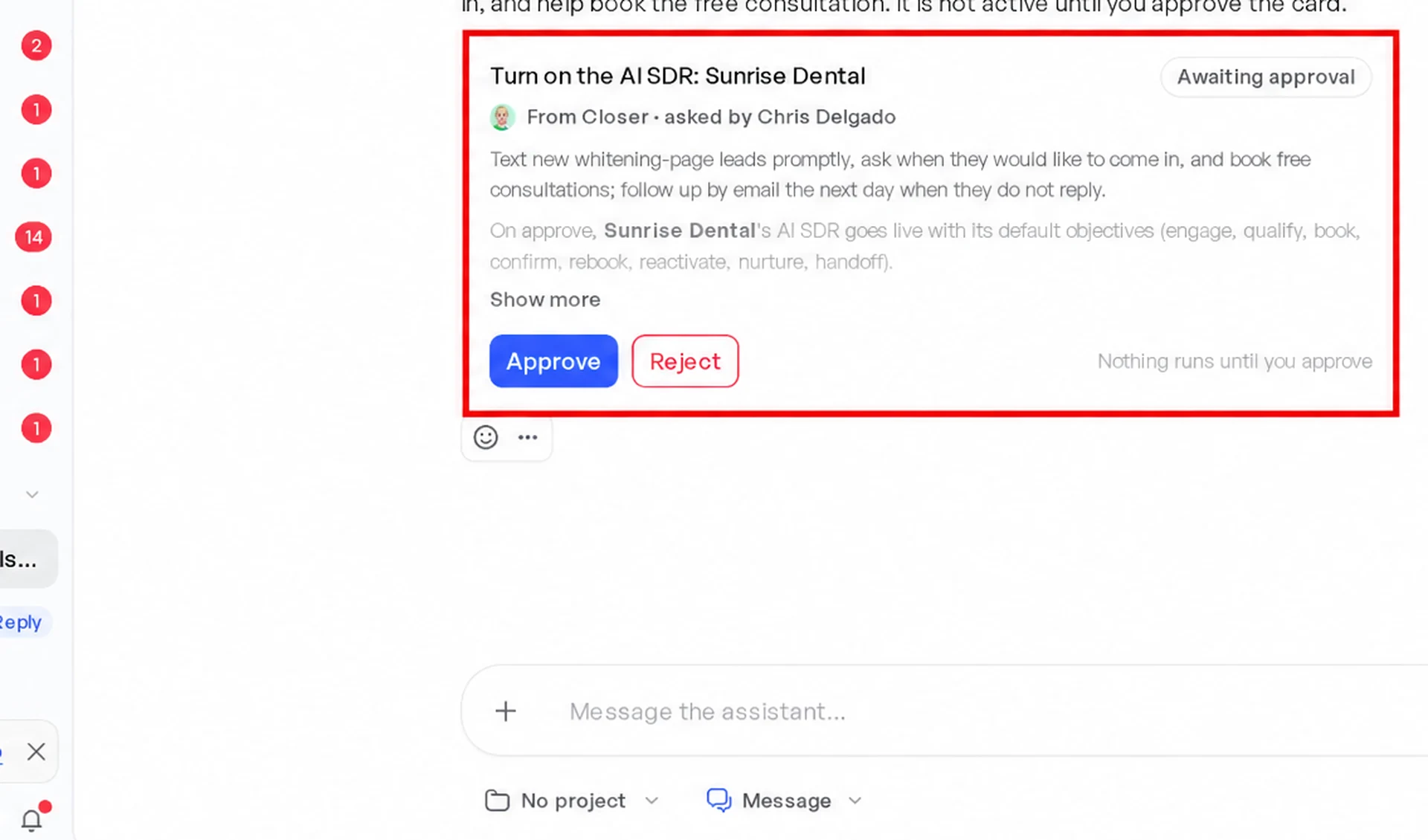
What the Client’s Lead Gets
Step 5: Report to Each Client Without Writing the Report
Why This Matters
A client who does not see results leaves, even when the results are good.
A report every week, with the same numbers, shows the work.
What to Do First
- Ask Cook for a report for each client, every day or every week: ad spend, new leads and booked calls.
- Your client can also see their own work in their portal at ANY time.
Every Monday at 8am, send me last week’s numbers for Sunrise Dental: ad spend, new enquiries, appointments booked and cost per booked appointment.
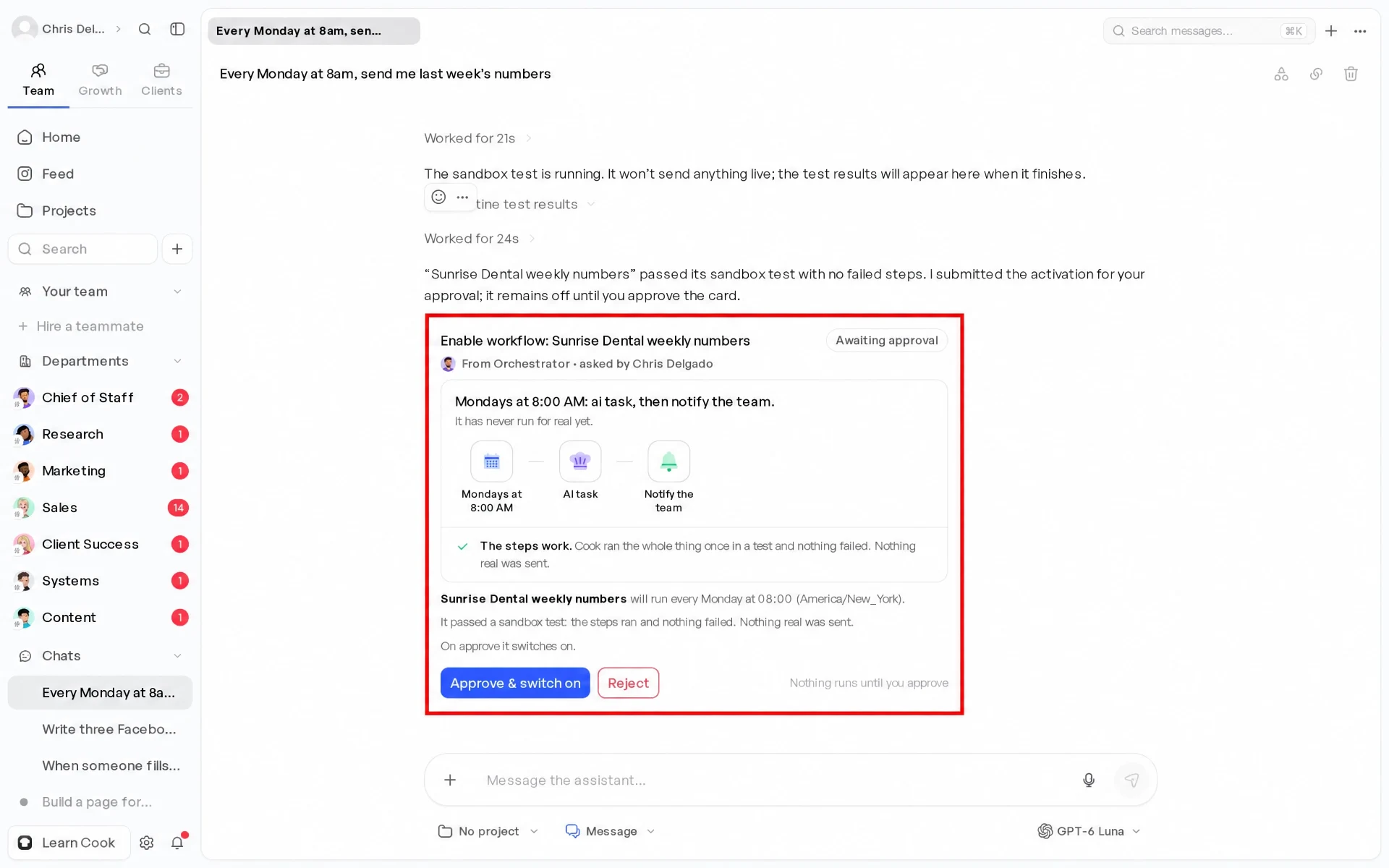
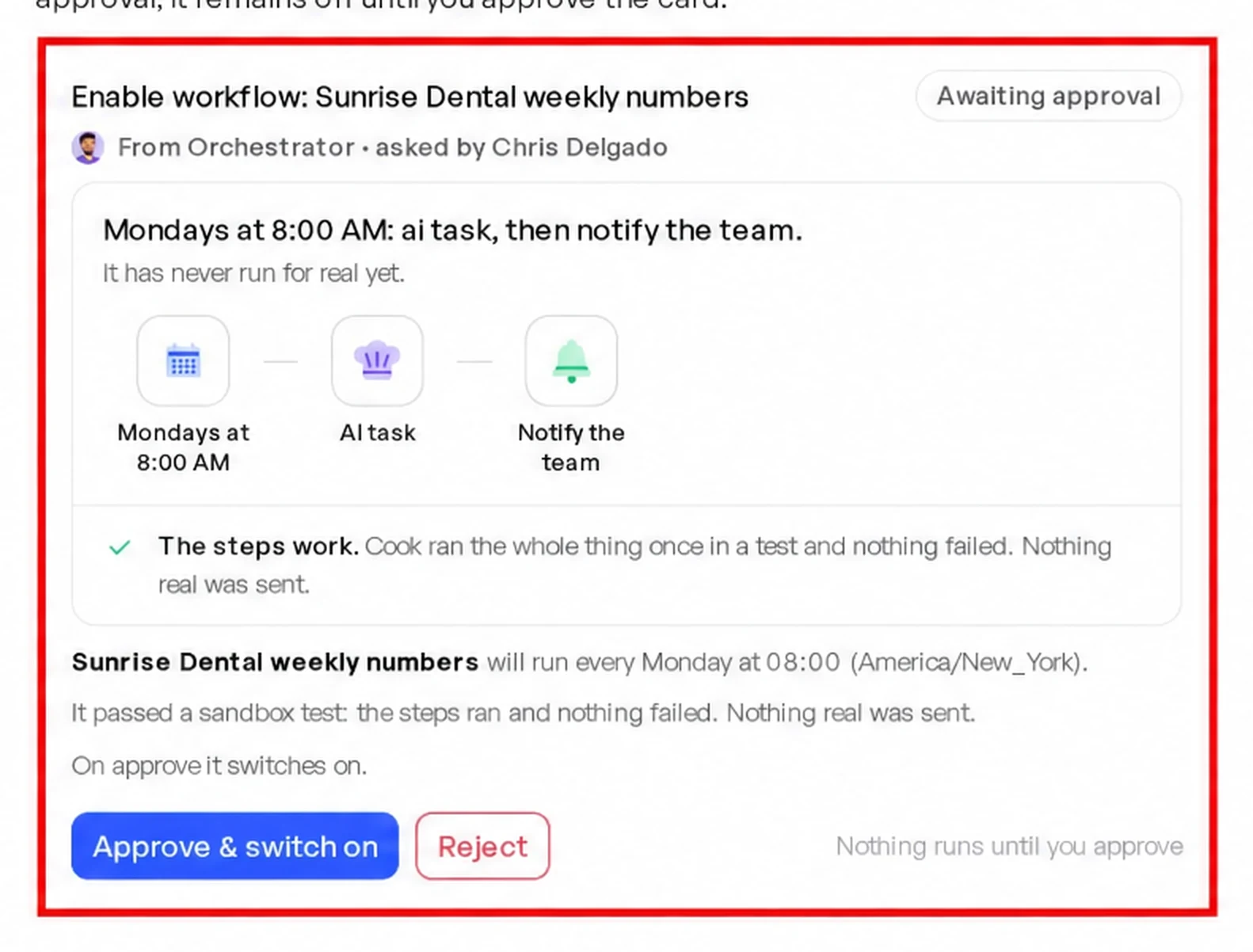
What the Client’s Monday Report Shows
These numbers are simulated. They are for a made-up client, Sunrise Dental, on a $40 a day budget.
Sell Cook Under Your Own Brand
Do you want to sell Cook itself to your clients? Then you set your own prices. See Sell a plan and What you may charge and advertise.
Final Thoughts
- One workspace for each client, with a portal they can log into.
- One page for each client that asks their first-call questions.
- Ads that you approve, in the right special ad category when needed.
- EVERY enquiry answered within minutes, and the appointment booked.
- A report every week, so each client sees the work.
Set up your next client the same way as your last one. That is how the agency adds clients without adding the same number of hours.