
Getting stuff done
Building a lead generating asset
Cook writes and publishes a web page about what you sell, with a form on it, at a real web address.
A funnel is a web page with one job: turn someone who lands on it into an enquiry you can follow up. It describes what you sell and it has a form.
You do not need a website already. No domain, no designer, nothing to install. Cook writes the page, builds it, and puts it on the internet at a real address in a couple of minutes.
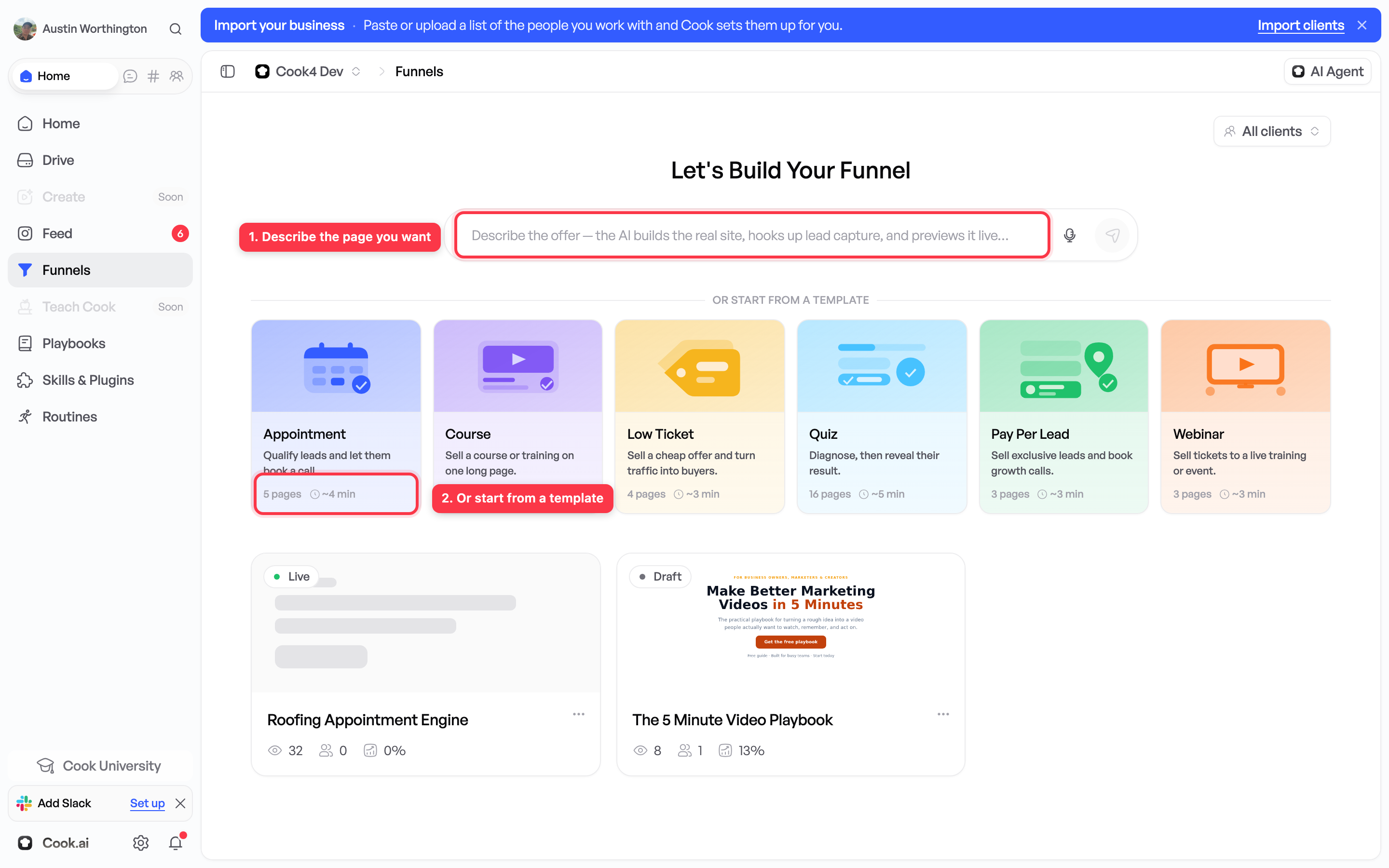
Ask for one
Open a chat and describe the page you want, in your own words:
Build me a page for a free driveway cleaning quote, for homeowners in Tampa, and put it live.
Cook picks a suitable layout, writes the words from what it knows about your business, and shows you the page before it goes public.
Or point it at a page you like
If there is an existing page whose layout you want, give Cook the address and it builds yours in the same shape with your own offer and wording. Only use a page you own or are allowed to use as a reference.
This is optional. Starting from nothing works.
What you should check before it goes live
Read the page out loud and check four things:
- The headline — does it say what you actually do?
- The price and the promise — are they yours, and are they right?
- The form — does it ask for what you need, and nothing more?
- The links — do they go where you expect, especially a booking link?
Say what is wrong in the chat. “The price is $250, not $180” is enough. Cook changes it and shows you again.
Nobody can see the page until you say to publish it.
Where the enquiries go
Every person who fills in the form is saved as a lead in your contact list, against the right client. See Common vocabulary if either of those terms is new.
From there you can have Cook answer them automatically: a text within minutes, an email the next day, a reminder if they go quiet. That is a routine, and it never sends anything until you switch it on.
Where to find it
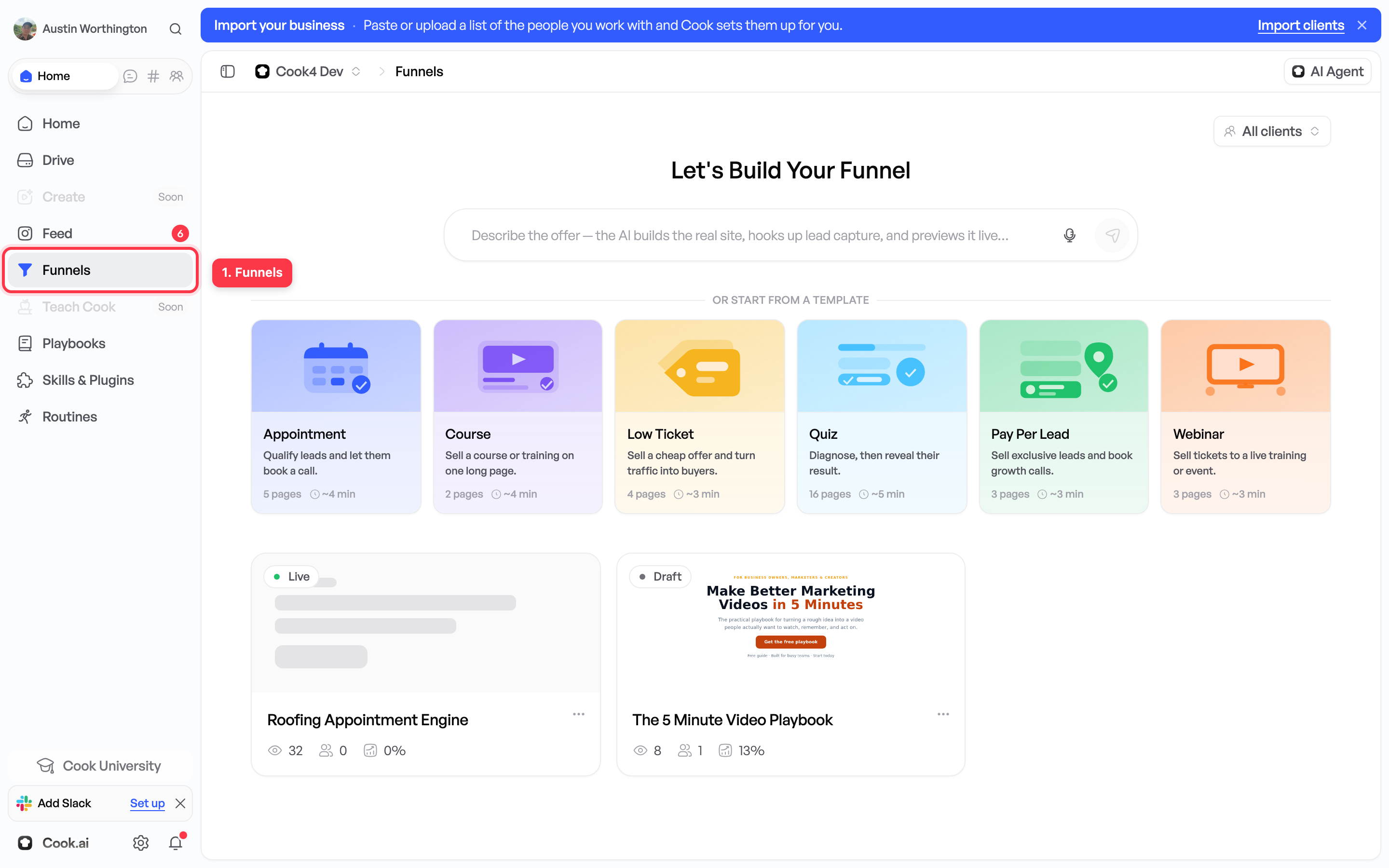
Open Funnels in the sidebar. Every page you have built is listed there with its address.
What to read next
Answering people without doing it yourself — how to have Cook answer those enquiries without you.