Start here
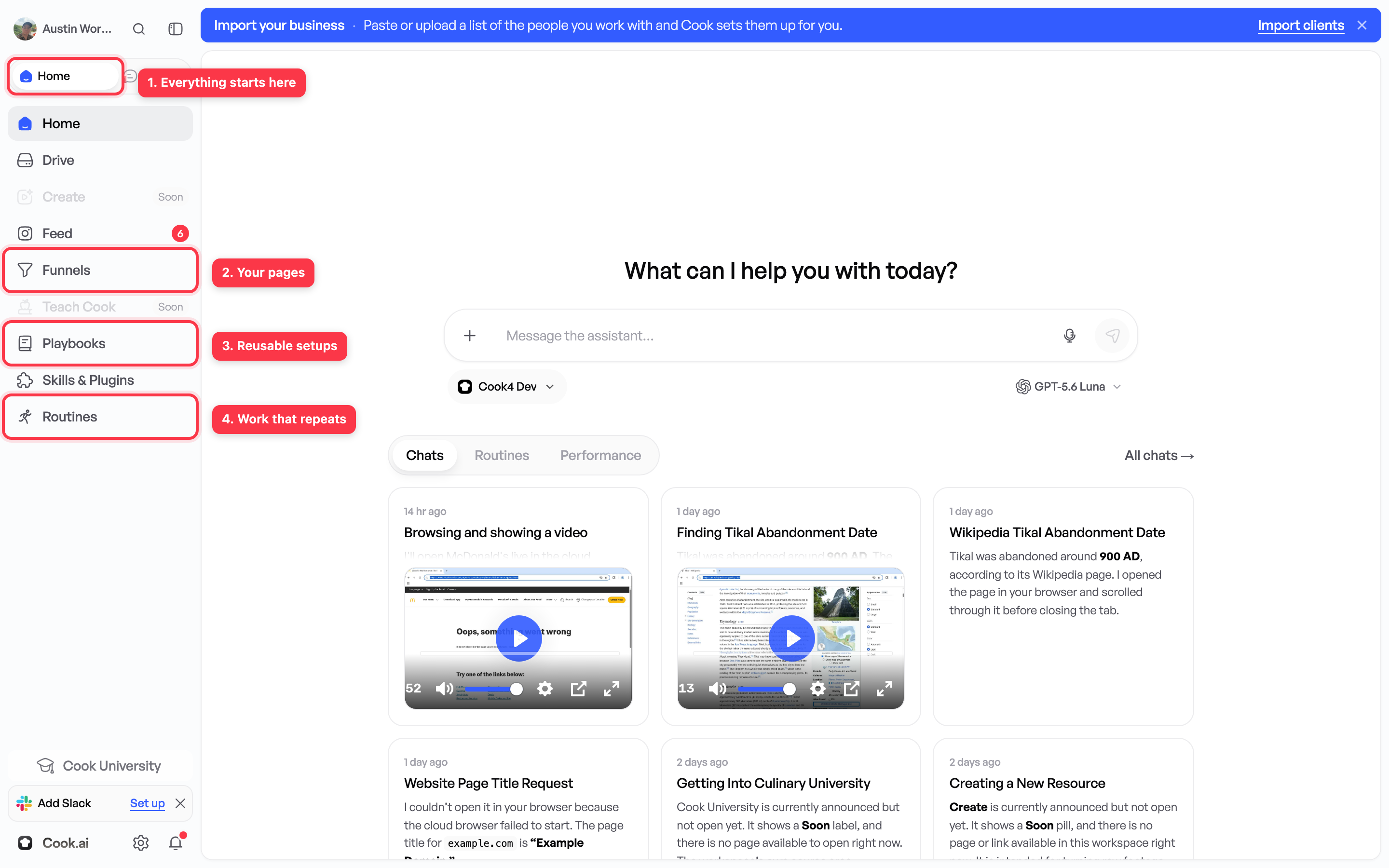
What is Cook?
A marketing team you talk to in plain English. What it does, what it will never do on its own, and what to read first.

Cook.ai does the marketing work for a business.
You write what you want in plain English, the way you would tell it to a person you just hired. Cook does the work and shows you the result. You do not need to know any marketing words to use it.
If you have never used anything like this before, read the six Start here pages in order. Together they take about ten minutes and they assume you know nothing. The second one is a dictionary — if a word here is new, it is defined there.
What it does for your business
- Work out who to sell to. It reads what people in your trade complain about online, what competitors charge, and who is already buying.
- Build a web page that collects enquiries. A page about what you sell, with a form on it, published at a real web address.
- Run ads. It writes them, puts them live on Facebook or Google, and turns off the ones that stop working.
- Answer people who enquire. By text and email, within minutes, in your words — and put them on your calendar.
- Tell you what happened. What it did, what it cost, and what came back.
Who does the work
The work is split between eight parts of Cook, called departments. Each does one kind of job. You do not have to pick between them: you ask for what you want, and it goes to the right one.








| Department | What it does |
|---|---|
| Chief of Staff | Takes your request, hands it to the right department, and brings anything back that needs your decision. |
| Research | Works out who to sell to, what to charge, and what to say. |
| Marketing | Builds the page, writes the ads and the emails, and keeps the ones that work running. |
| Sales | Answers new enquiries quickly and books the call. |
| Client Success | Looks after the customers you already have. |
| Support | Answers questions and works the support inbox. |
| Systems | Connects the accounts you already use and builds the pages and tools. |
| Content | Takes video apart, sets its editing standard, cuts and renders it, then checks the result against the reference. |
What it will never do behind your back
Cook asks you before it spends money or sends anything to a customer. That covers sending an email or a text, publishing a page, and changing what you spend on ads.
You get a request showing the exact wording or the exact amount. Nothing happens until you press Approve. See How to approve work.
Is this for me, or is it for agencies?
Both, and you do not have to choose.
Cook keeps work in folders called clients. If you run one business, you have exactly one client — your own business. It is already there when you sign up and you never need to make another one. Wherever these guides say “the client”, read it as “your business”.
If you do marketing for other companies, you add one client per company and each company’s work stays separate from the rest.
What to read next
- Common vocabulary — every term in these guides, one sentence each. Read it before the rest and nothing later will stop you.
- Your first day — what happens after you sign up, and what to type first.
- Prompting basics — what to say, and where the answer comes back.
- How to approve work — money, messages, and approvals.
- Why is everything locked? — why your Cook may show less than you expected.
Once those make sense, the rest of this site covers one thing at a time:
- Building a lead generating asset — a funnel is a web page with a form on it, written and published for you.
- Answering people without doing it yourself — a routine is one job Cook does without you, on a schedule or whenever something happens.
- Slack or Discord — if your team already talks in one of those.
- Reusing a whole setup — a whole set-up saved and reused across several businesses. Most people never need one.