Custom Domains: Your Funnel, Your URL, Your Brand
Connect any domain to your Cook AI funnel with automatic SSL in under 5 minutes. No developer, no hosting account, no DNS rabbit holes. Auto-connect, buy, or manually configure — your choice.
Update: Sites are now deployed to
*.trycook.app. Previously, sites were hosted on*.buildandrelease.ca. All existingbuildandrelease.caURLs automatically redirect to theirtrycook.appequivalents.
The URL is the first thing a prospect sees.
Before they read a word of copy, before they watch the VSL, before they fill out the form — they glance at the address bar. And if it says someone-else.trycook.app, that is a trust signal going the wrong direction.
Cook AI funnels now ship on your domain. Connect any domain you already own — or buy one directly inside the platform — and your AI-built funnel goes from staging URL to branded, SSL-secured production site in under five minutes. No developer. No hosting account. No DNS rabbit holes.
The funnel builder was the last piece of the stack that still felt like someone else's infrastructure. Your agents run on Cook. Your workflows run on Cook. Now your client-facing presence runs on Cook too — on a URL you control.
What changed
AI Funnel Builder
Describe what you want. Get every page.
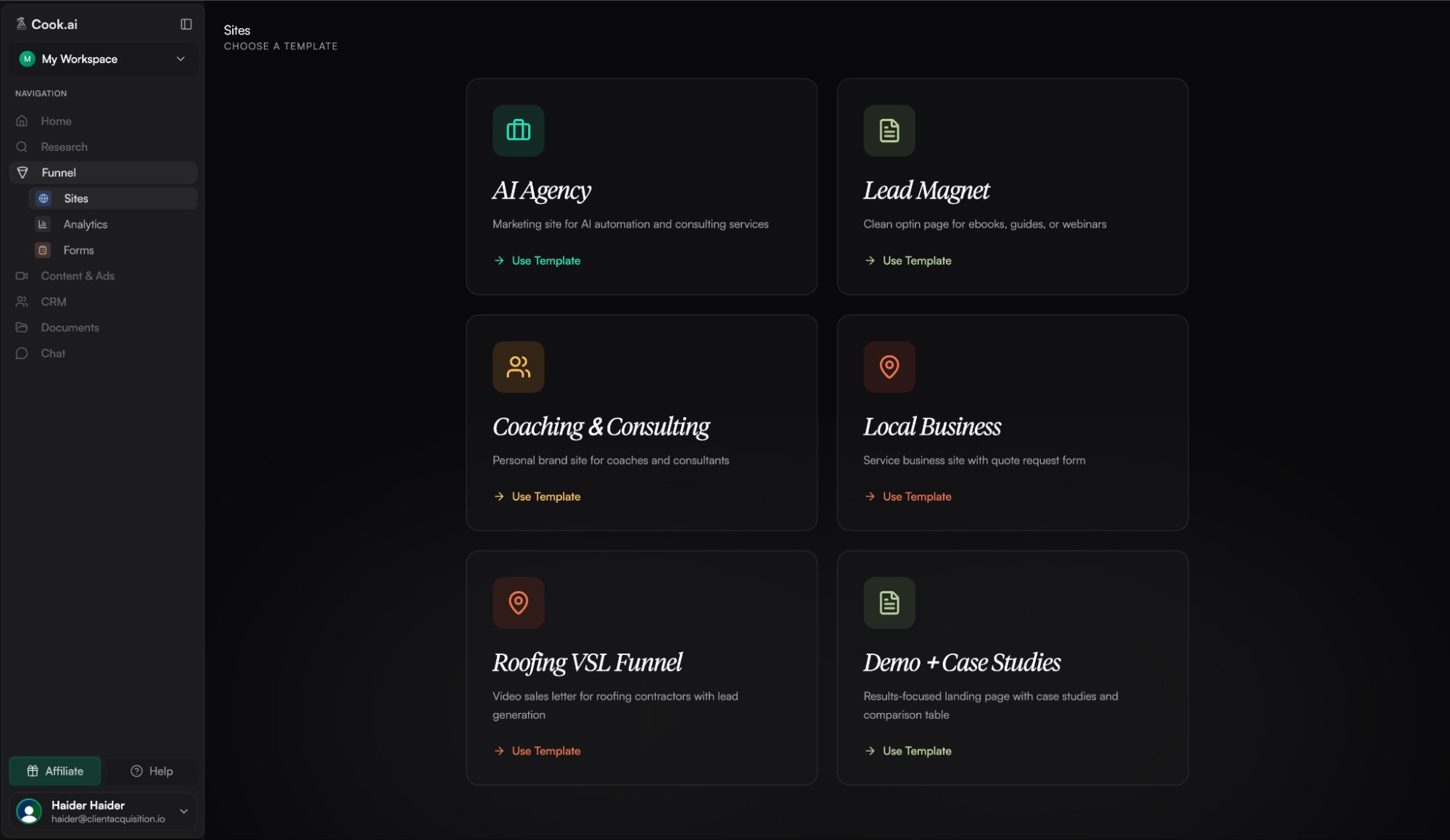
Pick from six battle-tested templates — AI Agency, Lead Magnet, Coaching & Consulting, Local Business, Roofing VSL Funnel, or Demo + Case Studies. Each one is pre-wired for its niche with scroll-triggered animations, urgency elements, qualifying copy, social proof blocks, FAQ accordions, and A2P-compliant SMS consent on the booking form.
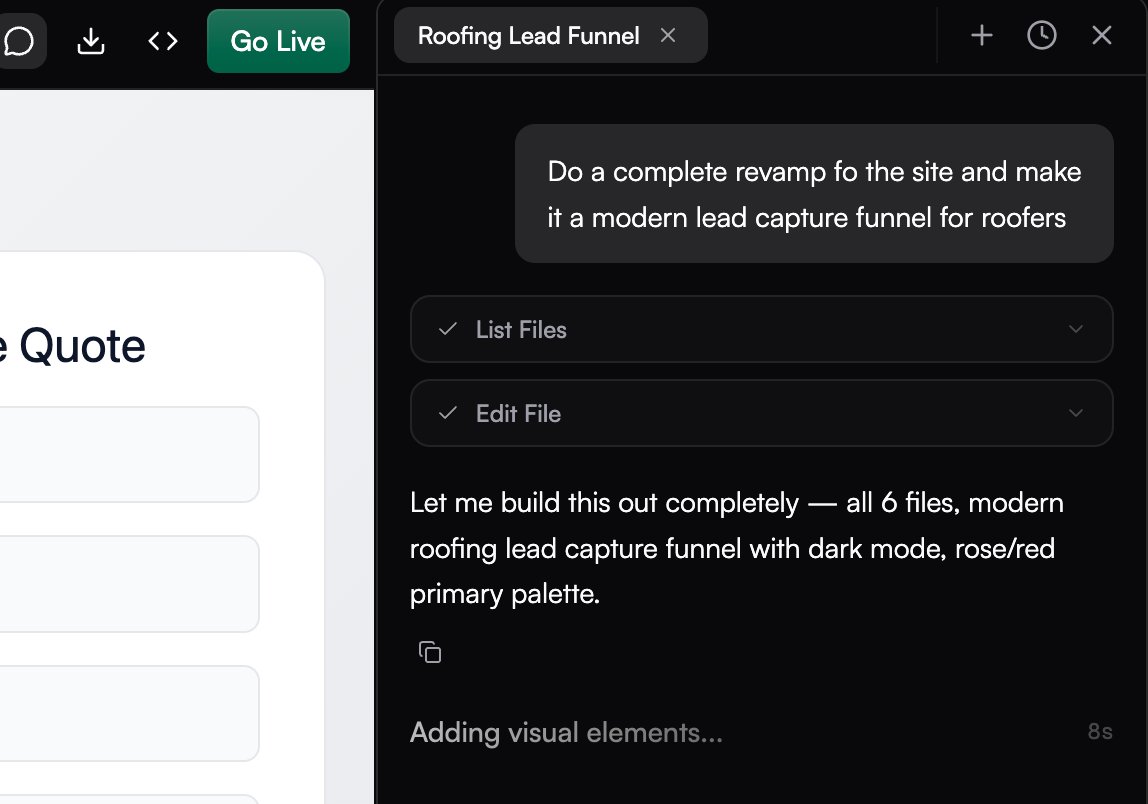
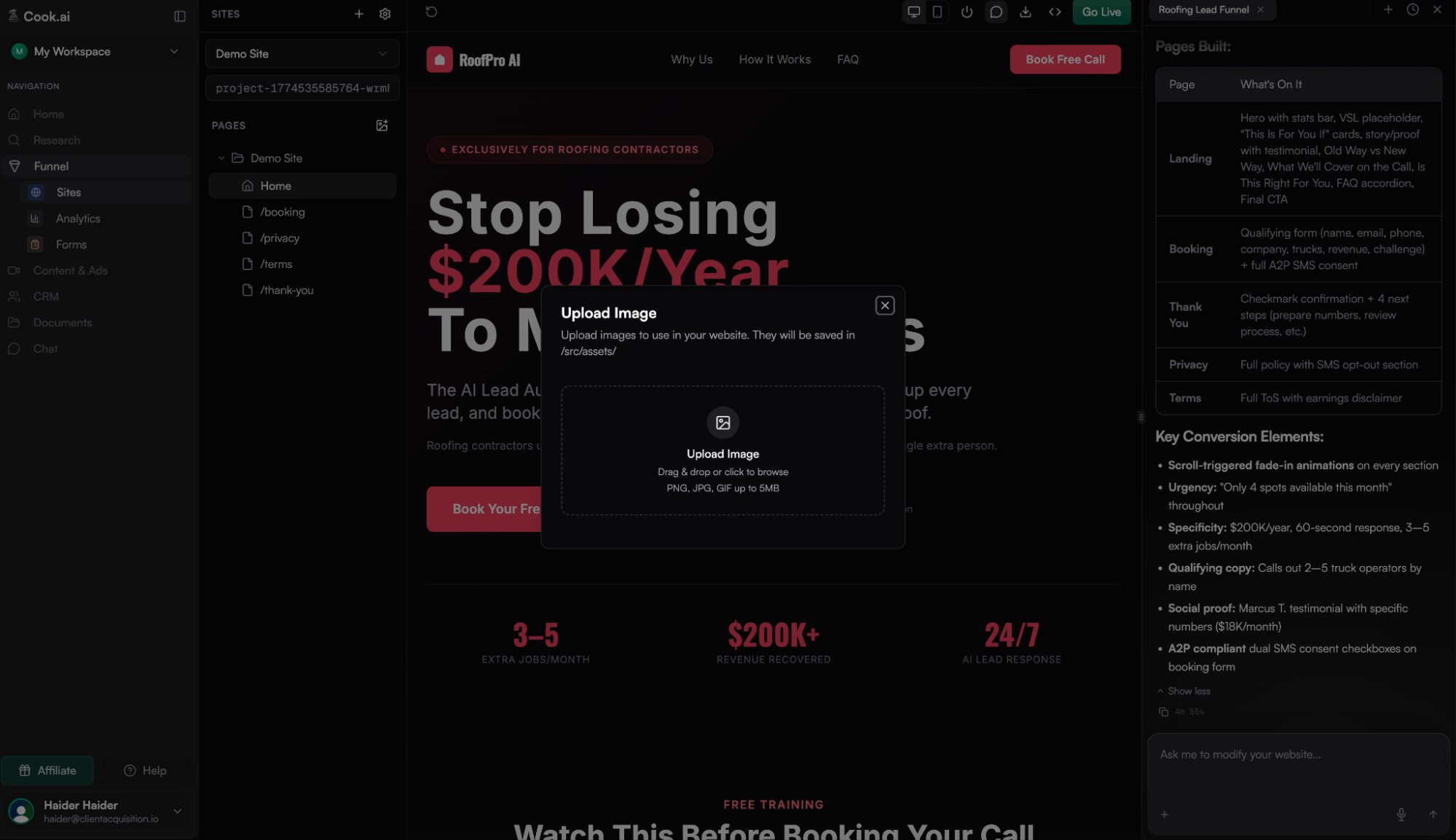
Open the chat panel and type a single prompt. Cook generates every page — landing, booking form, thank-you, privacy policy, and terms. What used to take $2K–$5K in dev work or a week in a page builder happens in one message.
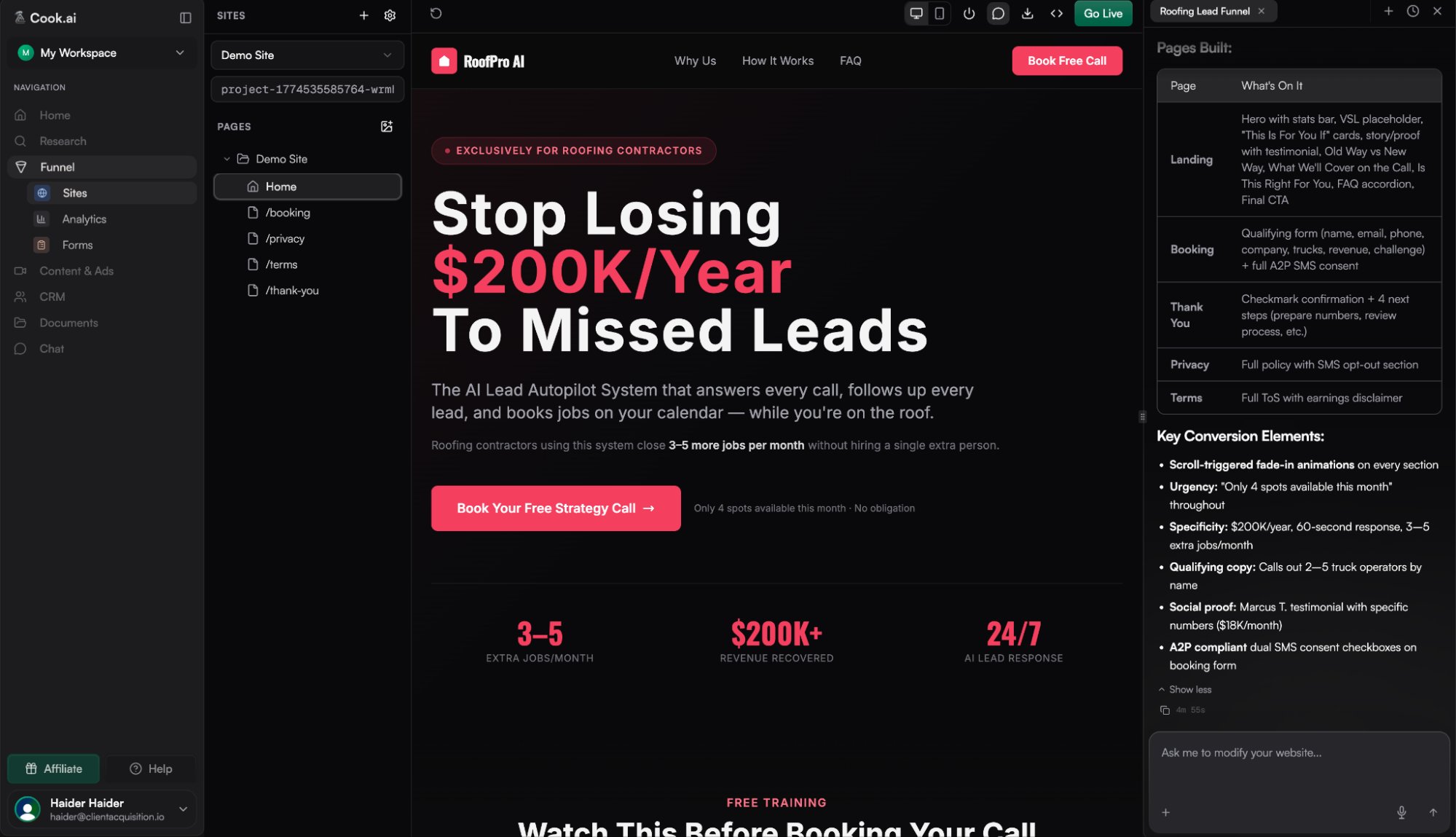
The visual editor gives you full control. Every page is listed in the sidebar. The right panel summarizes what was built and the conversion elements included. Upload your own images directly — drag and drop PNG, JPG, or GIF files up to 5MB.
For agency owners: This replaces the part of your stack where you were paying a developer or burning hours in a page builder. One prompt, full funnel, every compliance field pre-built.
Instant Publishing
One button. Live URL. Immediate.
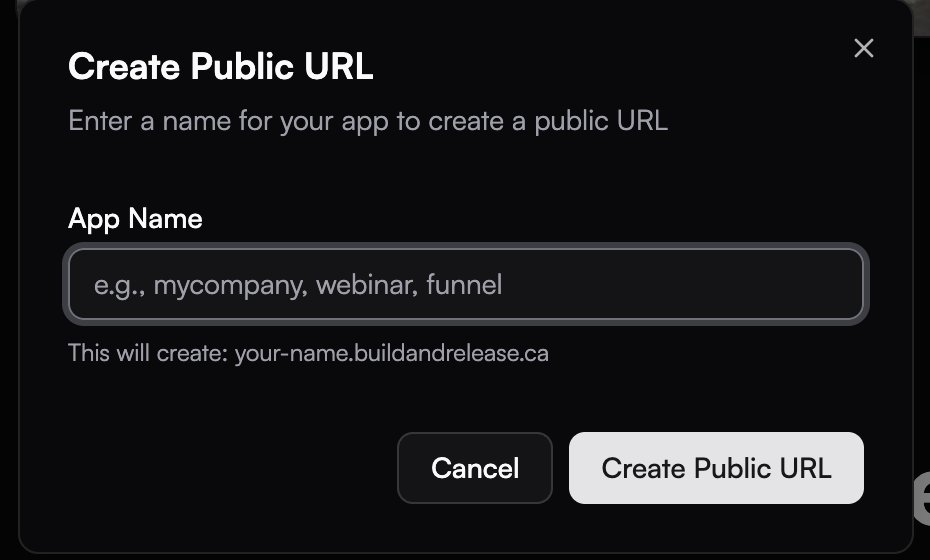
Hit Go Live. Enter an app name. Your funnel is instantly accessible at yourname.trycook.app — shareable, testable, and live.
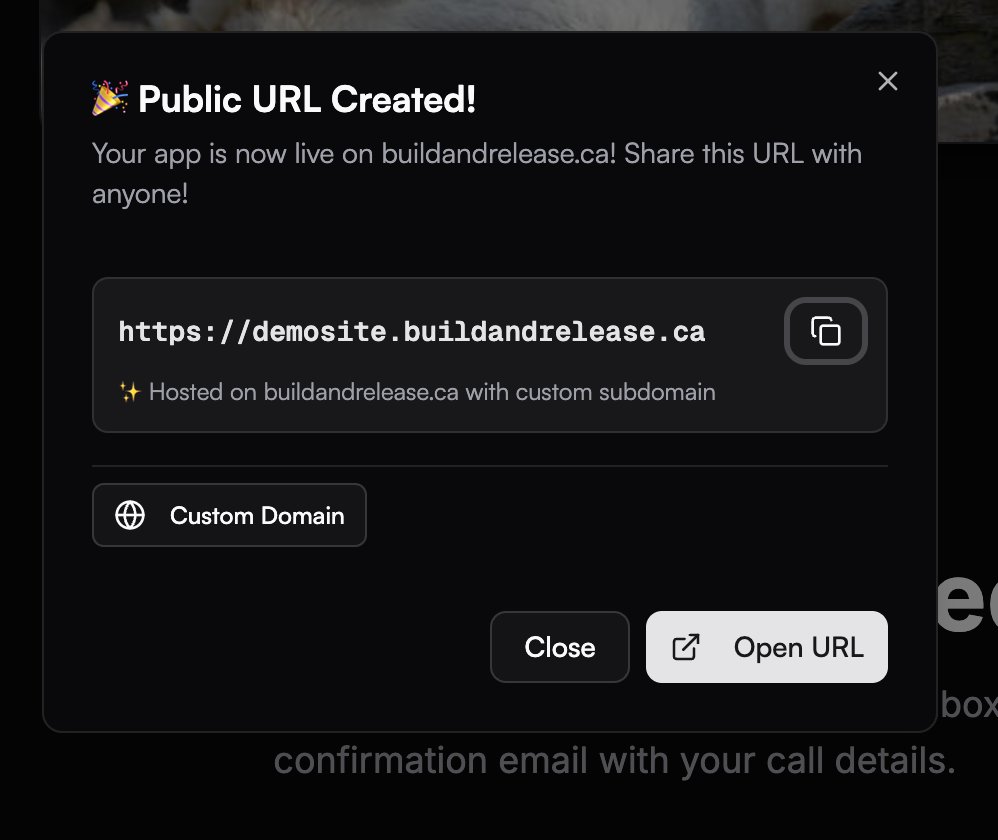
For operators deploying client funnels: Use the staging URL for client approval. Share the link, get sign-off, then connect the branded domain in the next step.
Custom Domains
Your domain, automatic SSL, zero configuration.
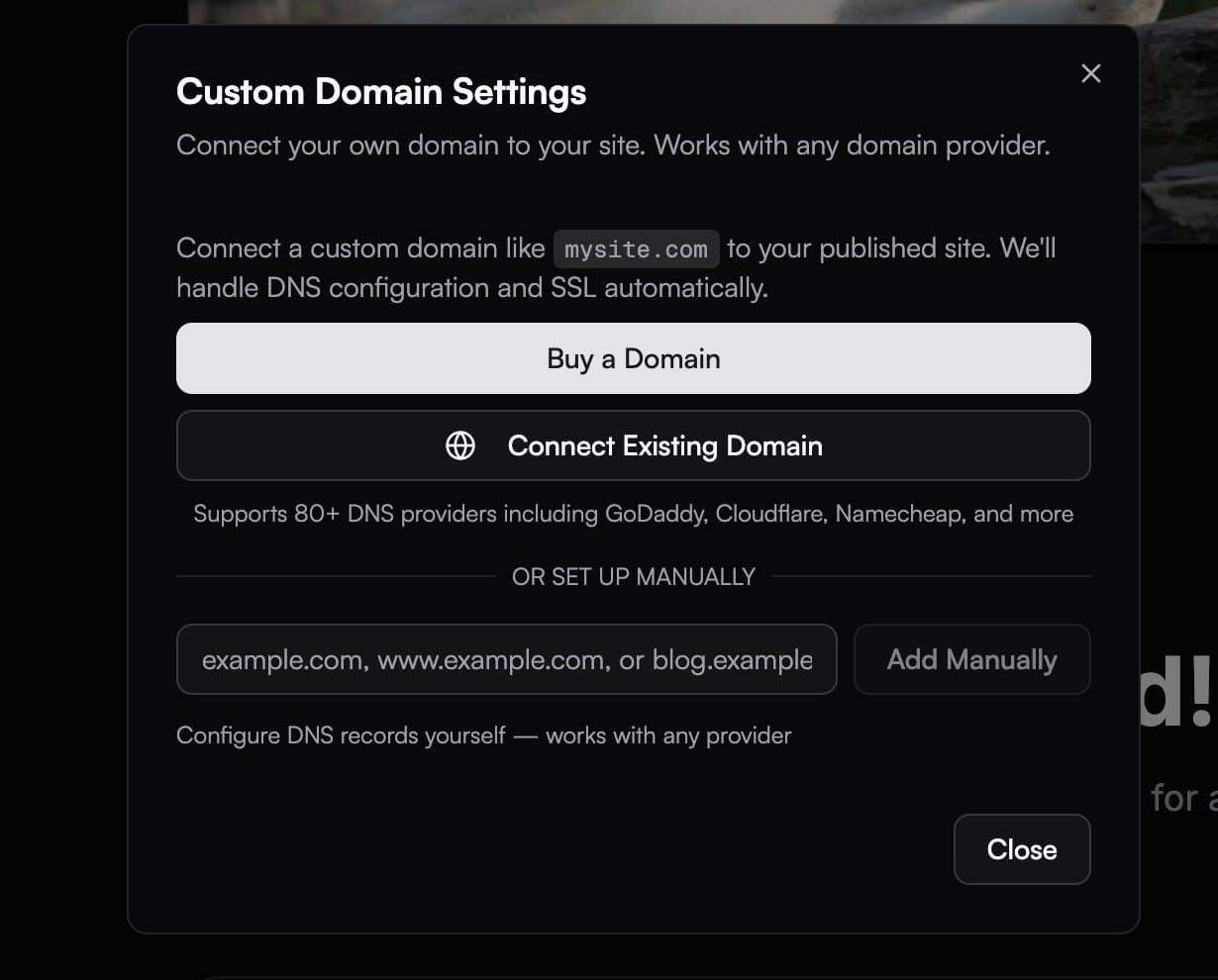
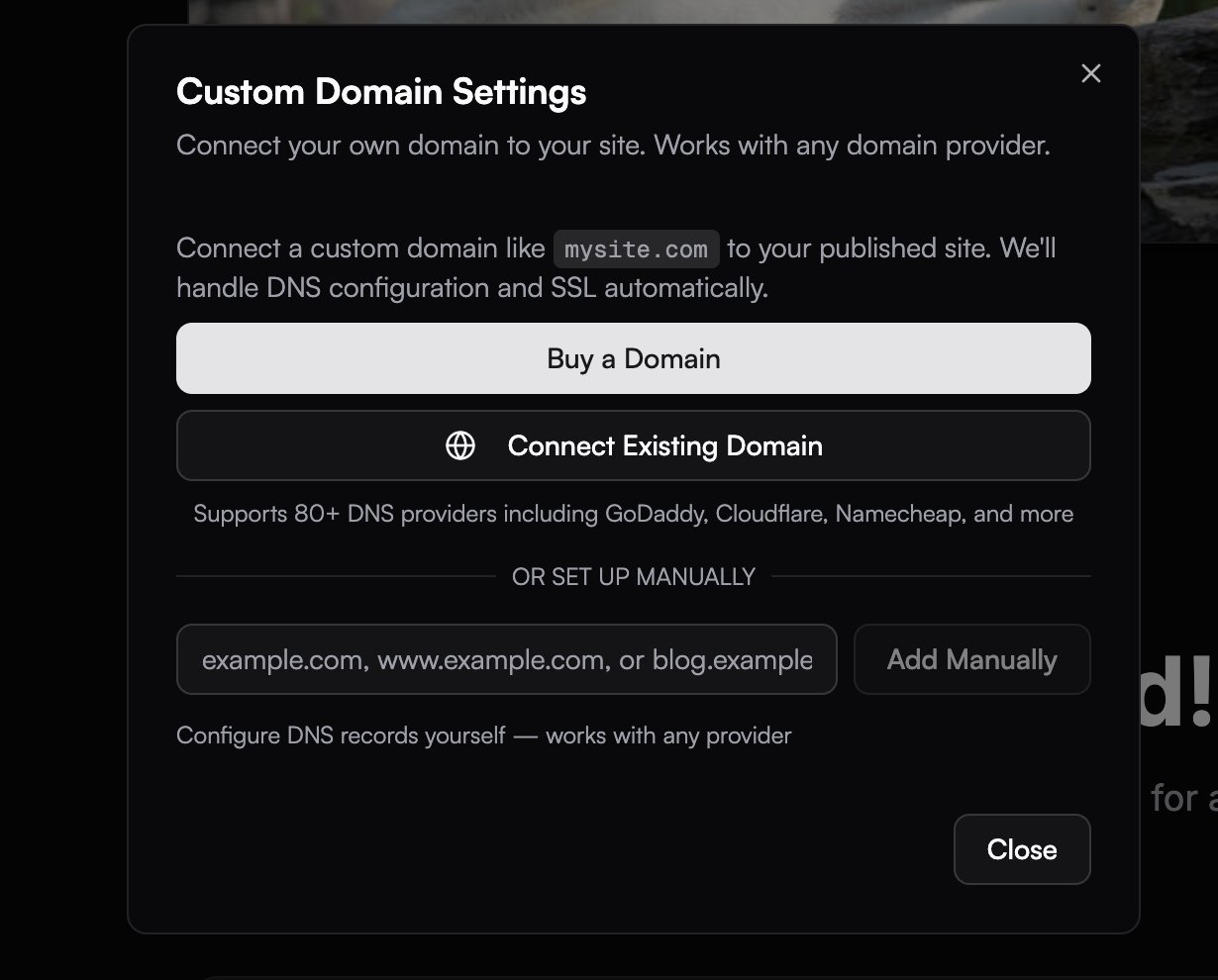
Click the Custom Domain globe icon in the toolbar. Three paths to connect your domain.
Connection paths
Auto-Connect (Recommended)
Click Connect Existing Domain. Enter your domain. Entri detects your DNS provider automatically and handles the entire configuration. Supports 80+ providers including Cloudflare, GoDaddy, Namecheap, and more.
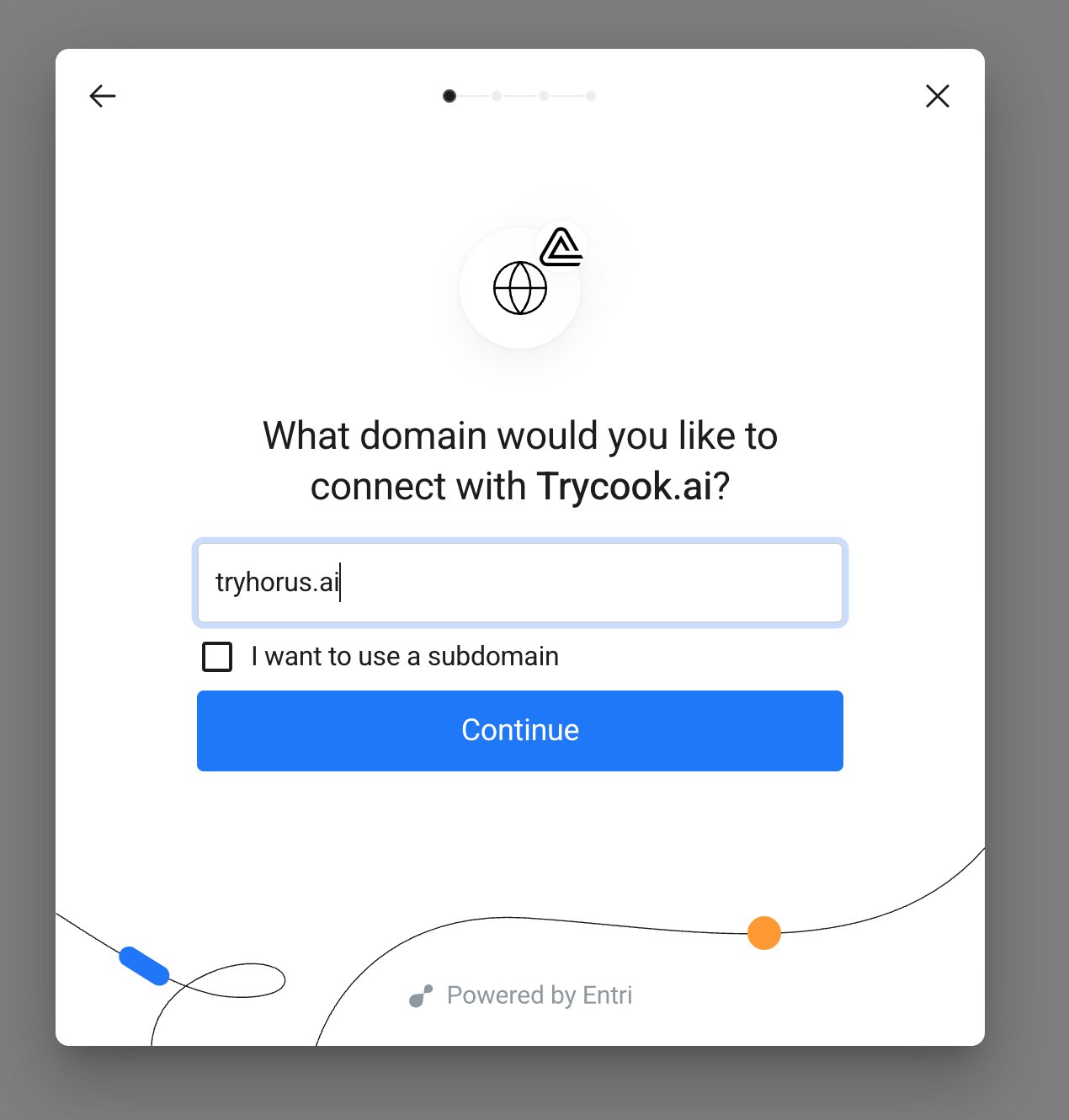
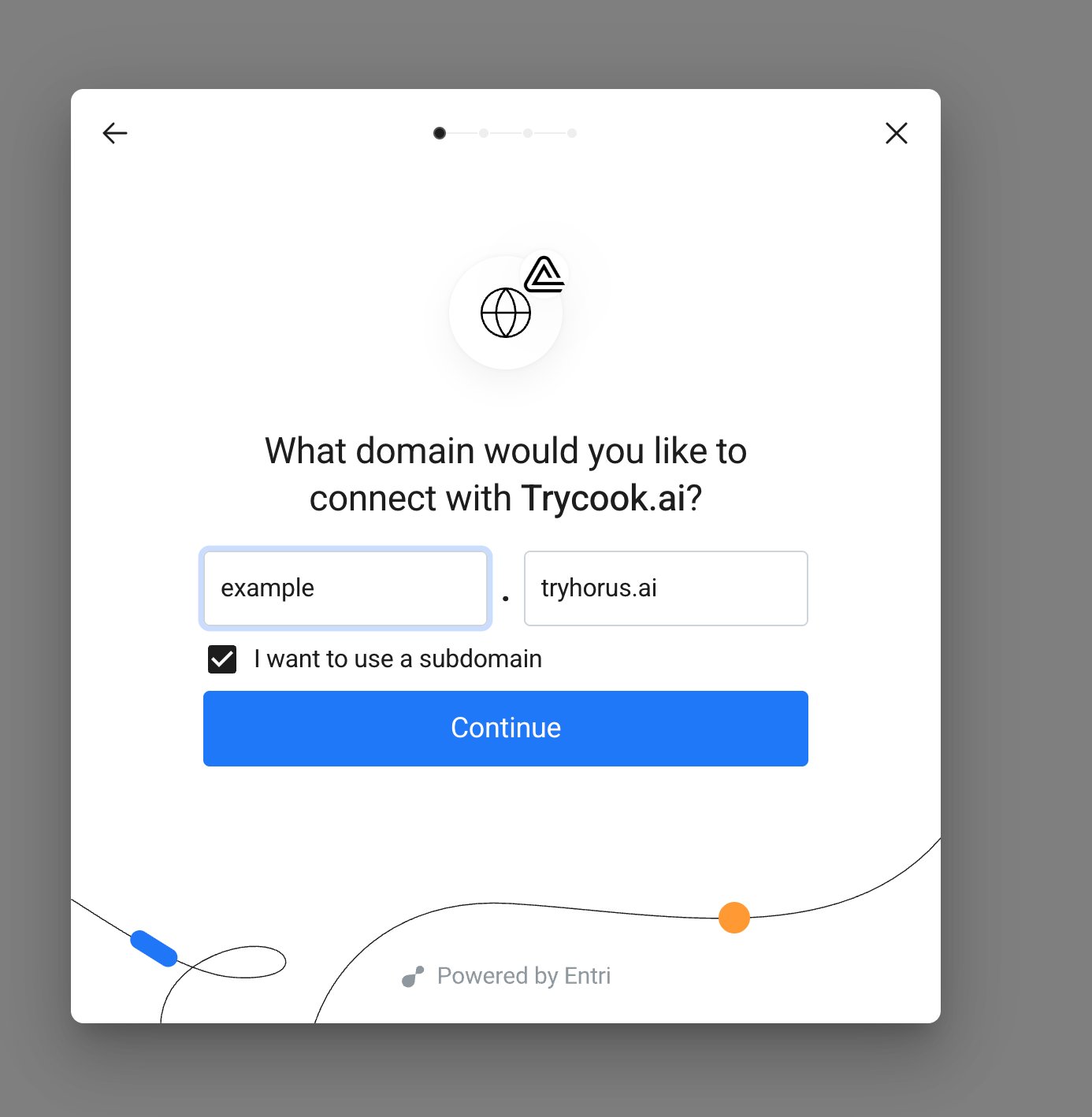
Need a subdomain like app.yourdomain.com? Check the box and type the prefix.
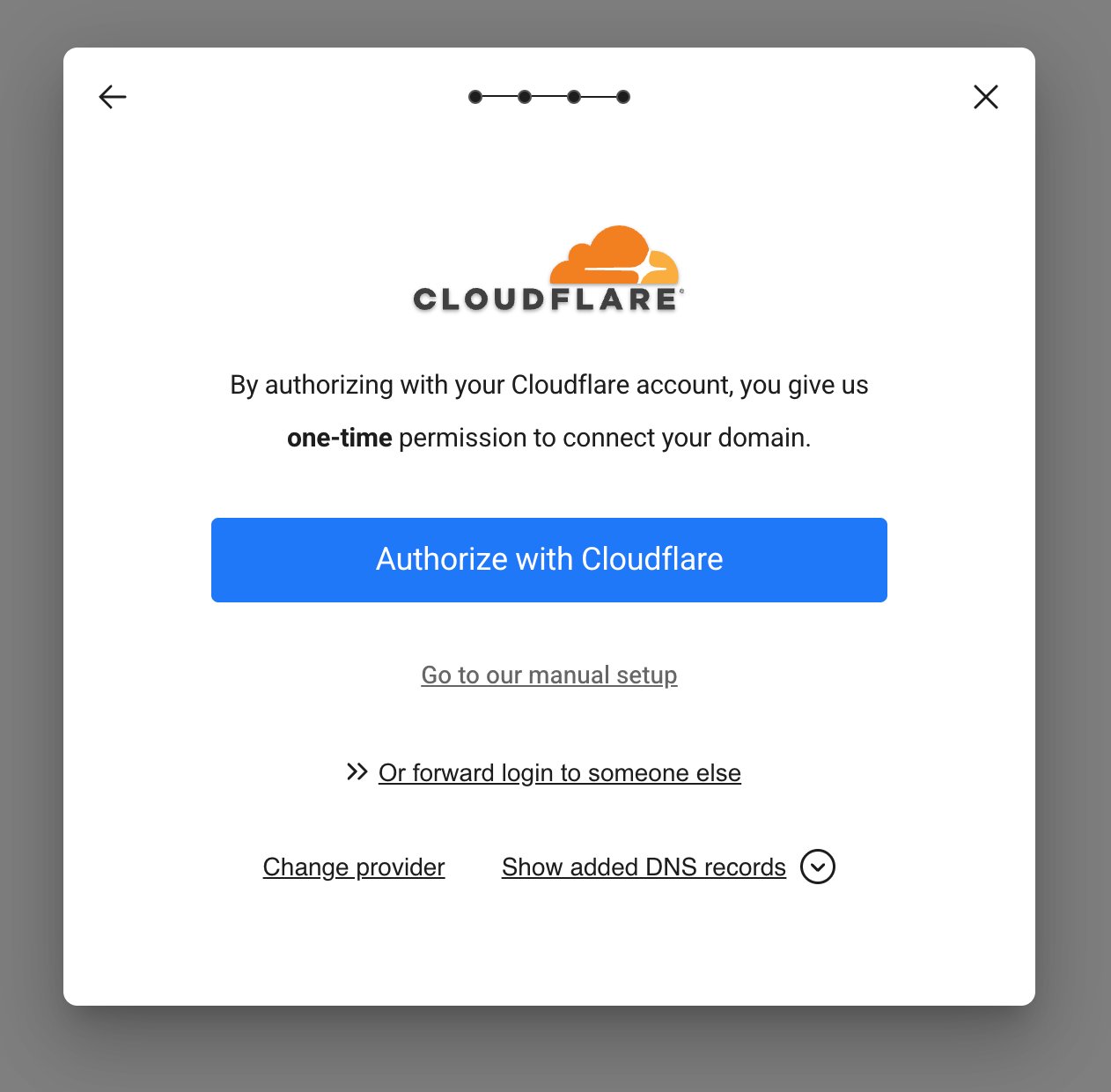
On Cloudflare, it is a single authorization click. Same one-click flow for all 80+ supported providers.
Buy a Domain
Purchase a domain directly inside Cook. No separate registrar account. DNS and SSL configured automatically on purchase.
Manual DNS
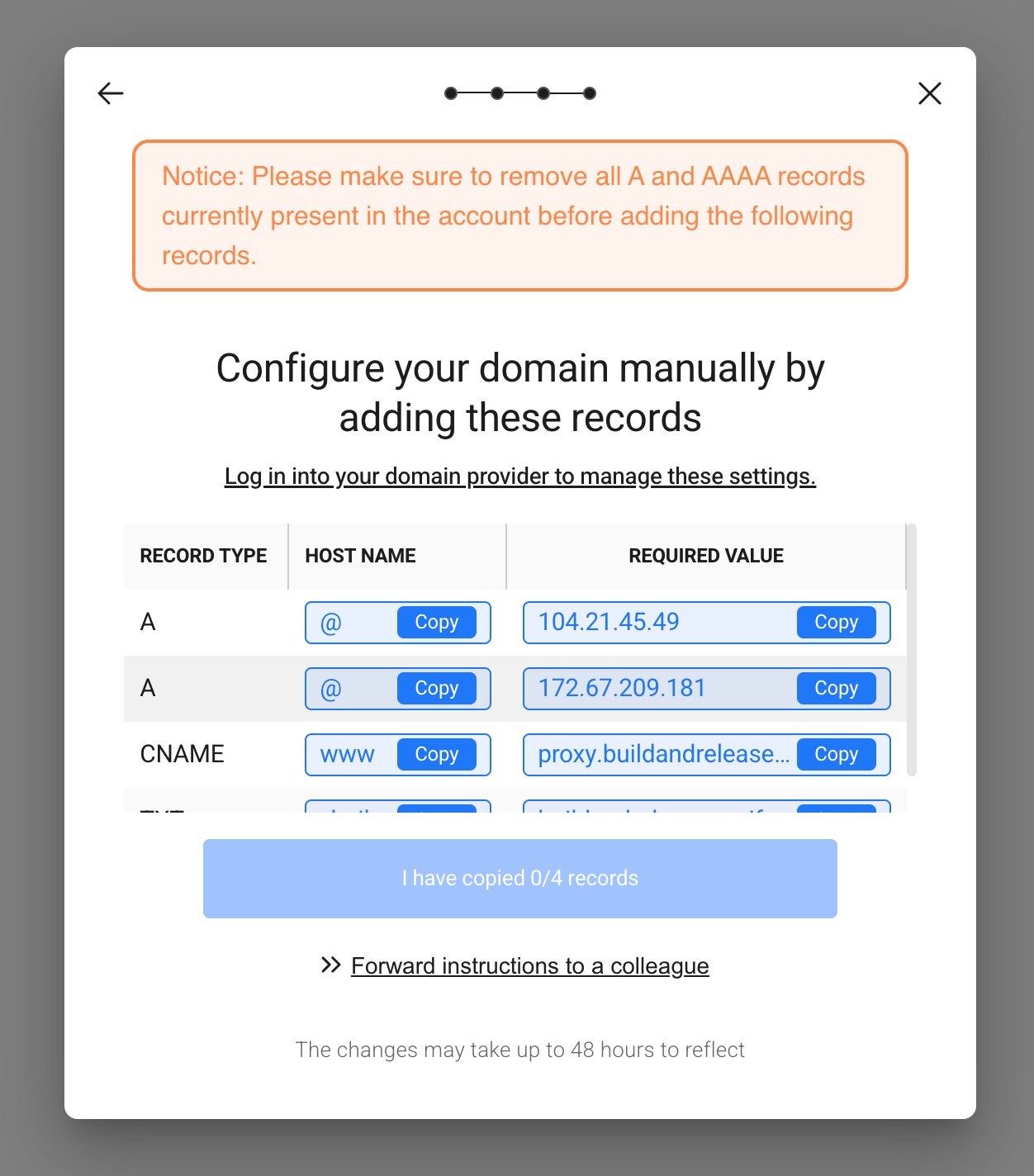
Click Add Manually for full control. Cook provides the exact records:
| Record Type | Host | Required Value |
|---|---|---|
| A | @ | 104.21.45.49 |
| A | @ | 172.67.209.181 |
| CNAME | www | proxy.trycook.app |
| TXT | (provided) | (see dashboard) |
Important: Remove all existing A and AAAA records before adding these. Propagation can take up to 48 hours, though most complete within minutes.
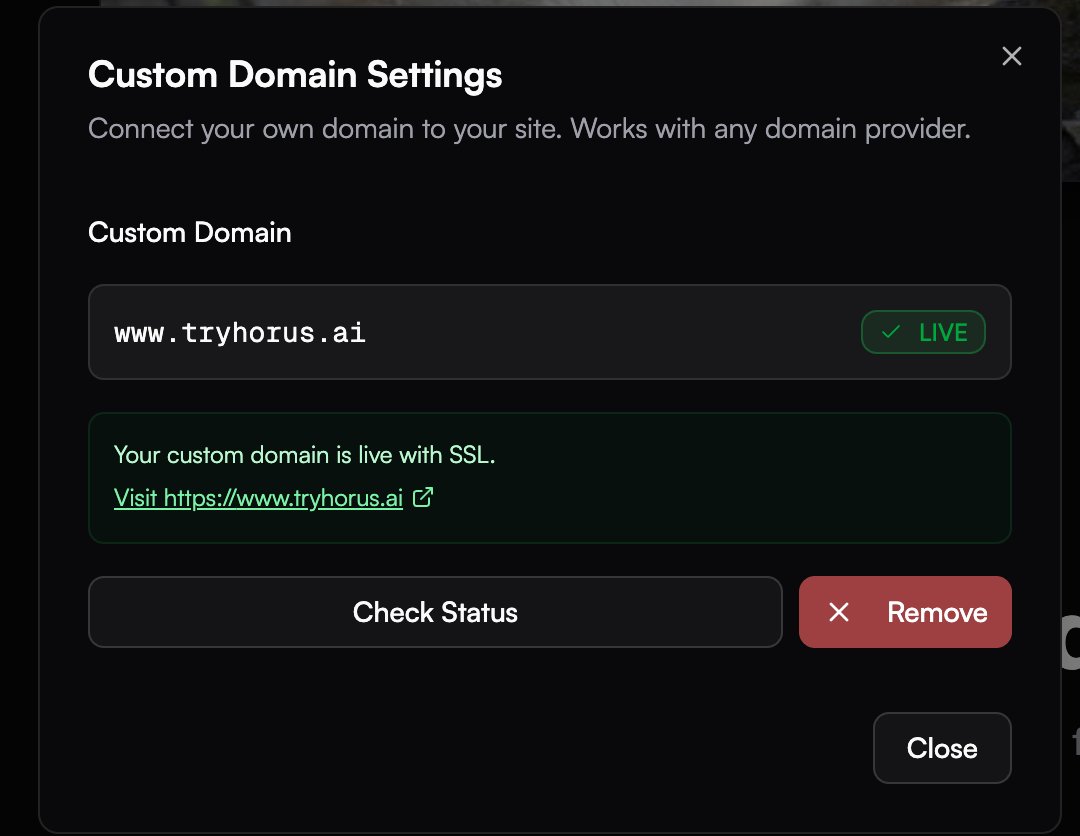
Once connected — by any path — you see the confirmation screen:
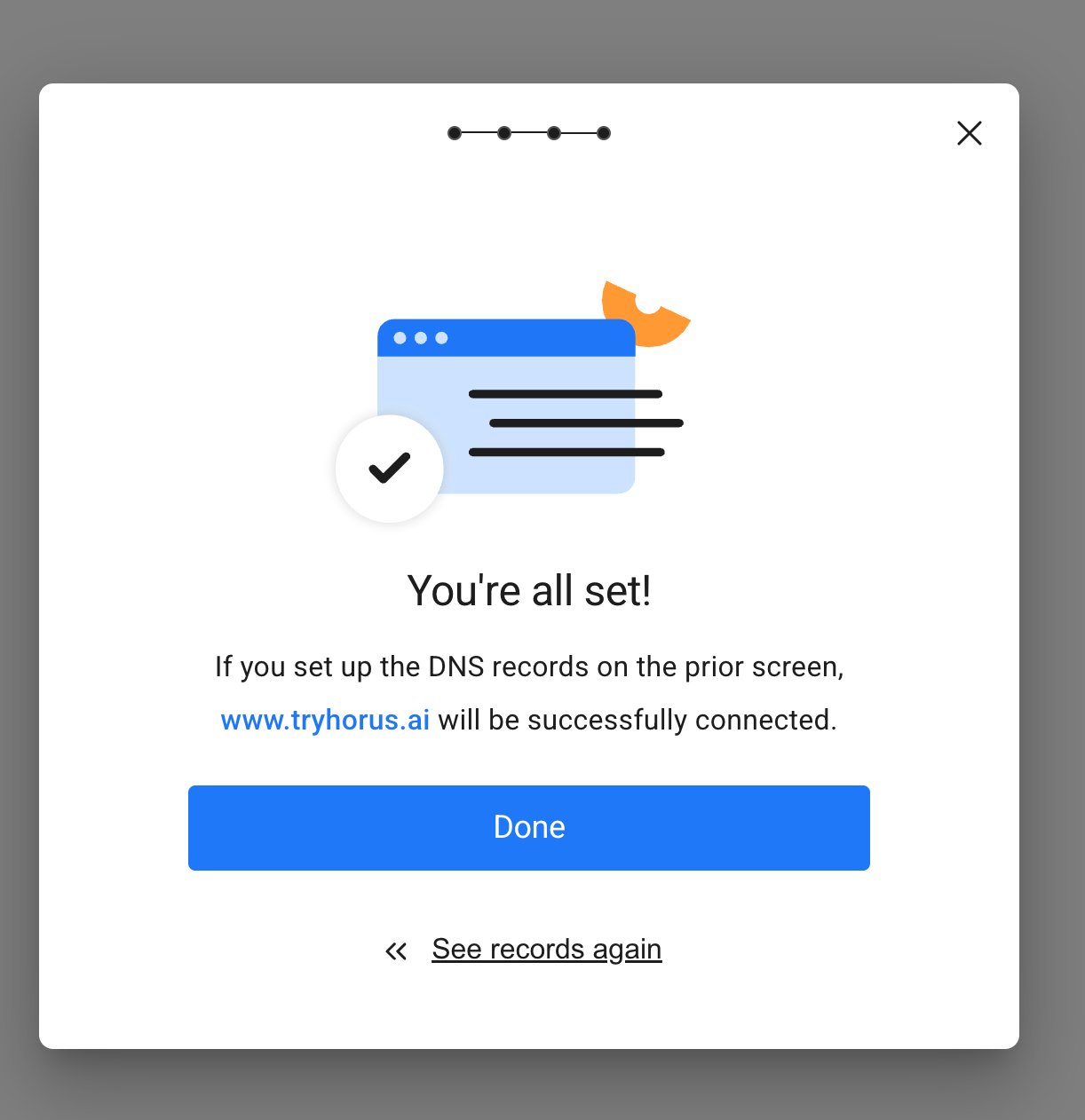
Your domain shows a green LIVE badge with automatic SSL. No certificates to install. No renewals to manage.
For operators running client funnels: Your client sees their URL. Their prospects see their URL. Every touchpoint reinforces their brand instead of yours. This is the difference between "we use a tool" and "we have infrastructure."
What this changes
Custom domains close the last gap between building on Cook and owning the full client experience. The AI builds the funnel. The agents handle follow-up. And now the domain is yours too.
The entire flow — from template selection to branded live funnel — takes under 10 minutes. What used to require a developer, a hosting account, a DNS provider dashboard, and an SSL certificate now happens inside one platform.
- 80+ DNS providers supported
- Under 5 minutes from domain to live
- $0 additional cost
Availability
Custom domains are live now for all Cook AI workspace members. No additional cost. No upgrade required. No feature gate.
Open your workspace, click Custom Domain in the funnel toolbar, and connect. Your branded funnel is five minutes away.
Frequently Asked Questions
How do I connect a custom domain to my Cook AI funnel?
Click the Custom Domain globe icon in the funnel toolbar. You have three options: Auto-Connect (recommended) detects your DNS provider and configures everything automatically for 80+ providers including Cloudflare, GoDaddy, and Namecheap. Buy a Domain lets you purchase directly inside Cook with automatic DNS and SSL. Manual DNS gives you full control with the exact A, CNAME, and TXT records to add at your provider.
Does Cook AI provide SSL for custom domains?
Yes. Every custom domain connected to Cook AI gets automatic SSL at no additional cost. No certificates to install, no renewals to manage. Once connected, your domain shows a green LIVE badge confirming SSL is active.
How long does it take to connect a custom domain on Cook AI?
Under five minutes for Auto-Connect and Buy a Domain. Manual DNS propagation can take up to 48 hours, though most configurations complete within minutes.
What DNS records do I need for manual domain configuration?
Cook provides the exact records: two A records pointing @ to 104.21.45.49 and 172.67.209.181, a CNAME record pointing www to proxy.trycook.app, and a TXT record with a value shown in your dashboard. Remove all existing A and AAAA records before adding these.
Does the custom domain feature cost extra?
No. Custom domains are available to all Cook AI workspace members at no additional cost. No upgrade required. No feature gate.
Can I connect a subdomain like app.yourdomain.com?
Yes. During the Auto-Connect flow, check the subdomain box and type your preferred prefix. Cook handles the rest.
What funnel templates does Cook AI offer?
Six battle-tested templates: AI Agency, Lead Magnet, Coaching and Consulting, Local Business, Roofing VSL Funnel, and Demo + Case Studies. Each is pre-wired with scroll-triggered animations, urgency elements, social proof blocks, FAQ accordions, and A2P-compliant SMS consent on the booking form.